Comparison

UNAS Pro vs UNAS Pro 8: What the Extra $300 Actually Buys

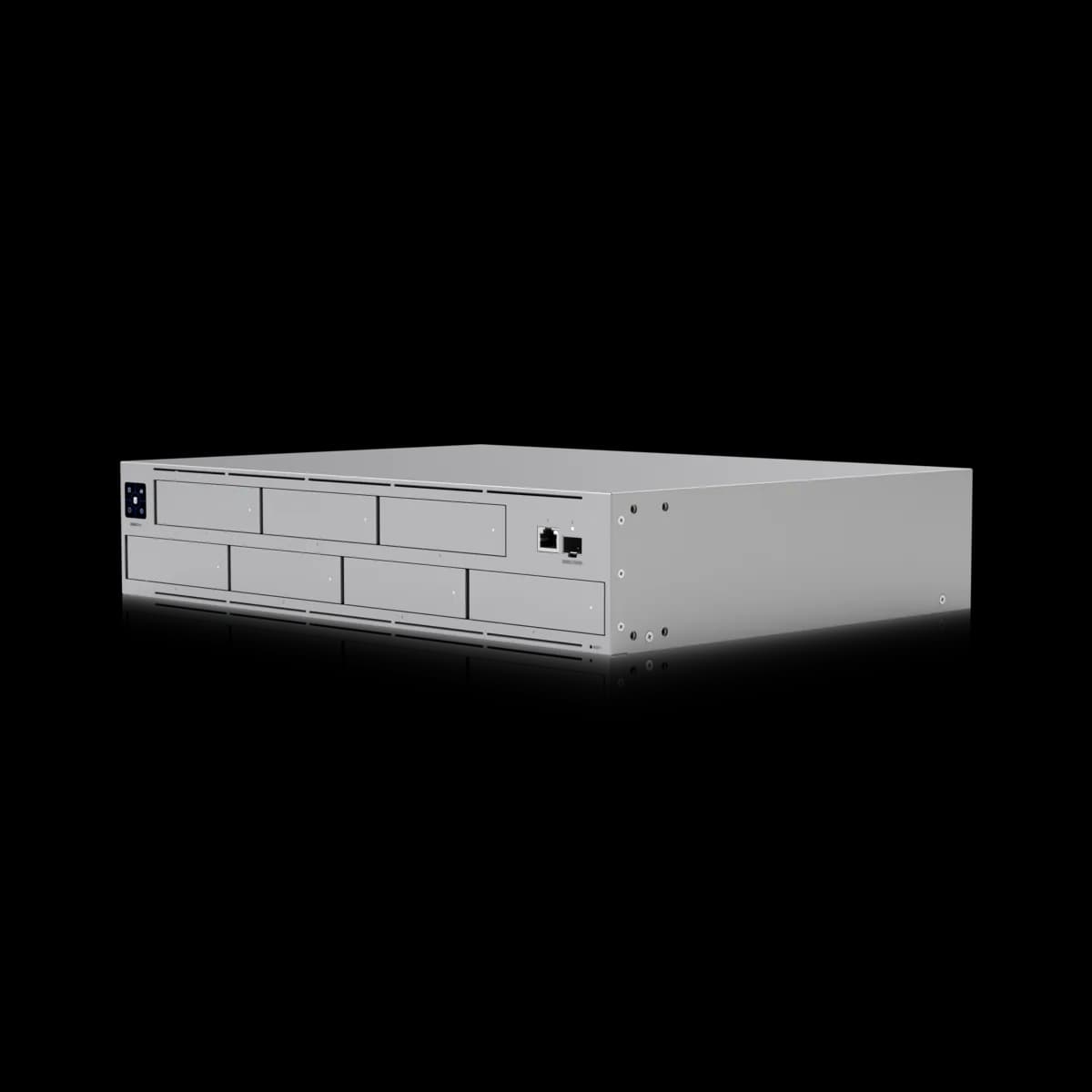
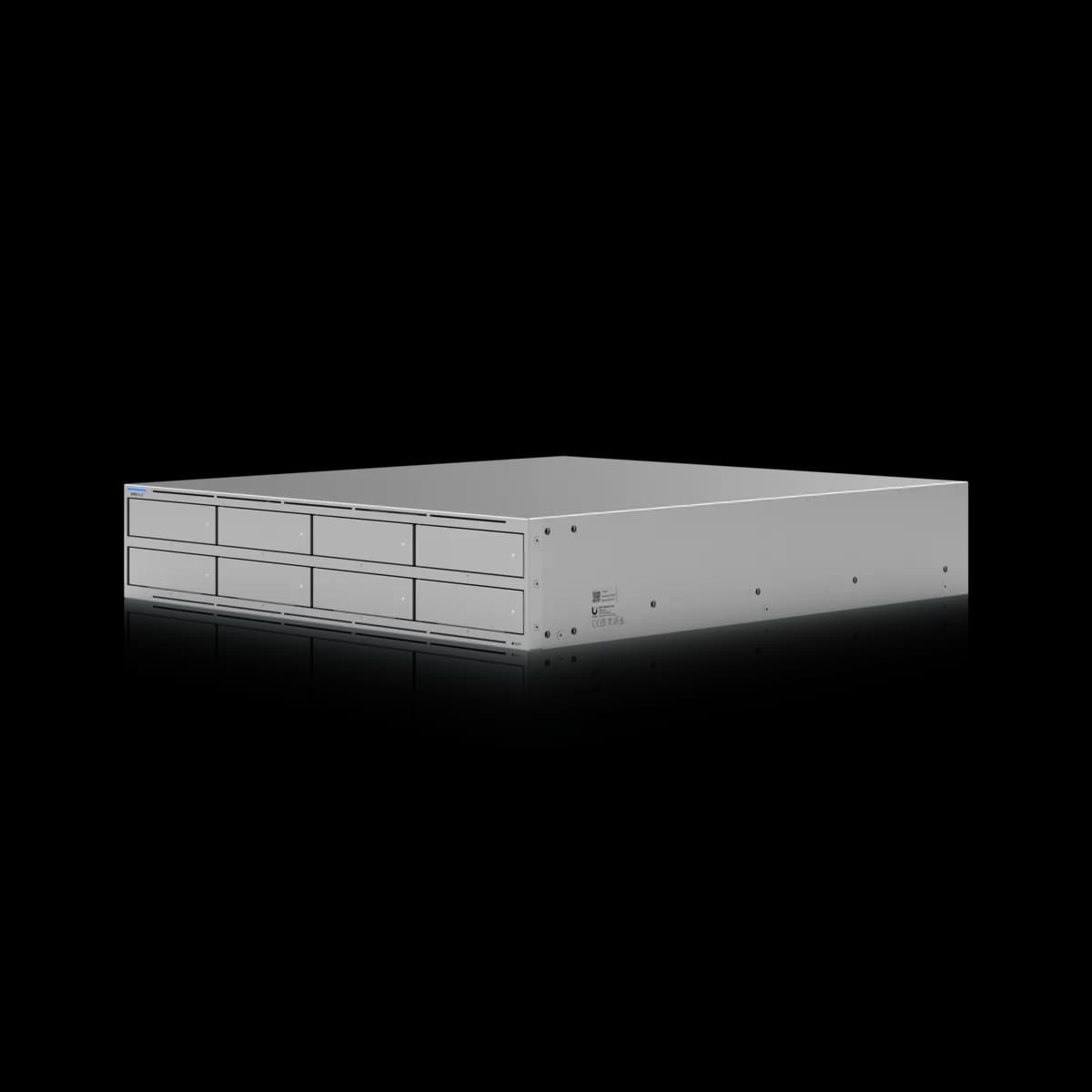
The $799 UNAS Pro 8 holds one more drive than the $499 UNAS Pro. The $300 goes on NVMe cache, a second 10G SFP+ port, 10 GbE copper and dual power modules.

Should I buy the UniFi UNAS Pro or the UNAS Pro 8?

The UNAS Pro 8 ($799) holds one more drive than the UNAS Pro ($499): eight bays against seven. The $300 buys the platform around the bays: two M.2 NVMe slots for SSD cache, a second 10G SFP+ port, a 10 GbE RJ45 where the UNAS Pro has 1 GbE, 16 GB of memory against 8 GB, a 2.0 GHz processor against 1.7 GHz, and two hot-swappable power modules where the UNAS Pro relies on a separate USP-RPS. Both are 2U and list the same RAID options. Buy the UNAS Pro for bulk capacity, and the Pro 8 when the storage has to be fast or has to stay up.

Spec Comparison

SpecUniFi UNAS ProUniFi UNAS Pro 8
ProcessorQuad-core ARM Cortex-A57 at 1.7 GHzQuad-core ARM Cortex-A57 at 2.0 GHz
System Memory8 GB16 GB
Drive Capacity(7) 2.5/3.5" HDD / SSD(8) 2.5/3.5" HDD / SSD + (2) M.2 NVMe SSD
Max Power Budget for Drives135 W225 W
Networking Interface(1) 10G SFP+ (10G/1G) + (1) GbE RJ45 (1G/100M/10M)(2) 10G SFP+ (10G only) + (1) 10 GbE RJ45 (10G/5G/2.5G/1G/100M)
RAID TypesRAID 5, RAID 6, RAID 10RAID 5, RAID 6, RAID 10
RAID GroupsMultipleMultiple
Hot Spare SupportYesYes
File ProtocolsSMB, NFSSMB, NFS
SnapshotsYesYes
File EncryptionYesYes
Time Machine BackupYesYes
Backup DestinationsRemote UNAS, CIFS/SMB server, cloud (Google Drive, OneDrive, Dropbox, Amazon S3, Backblaze B2, Wasabi)Remote UNAS, CIFS/SMB server, cloud (Google Drive, OneDrive, Dropbox, Amazon S3, Backblaze B2, Wasabi)
Display1.3" touchscreen
Power RedundancyYes (USP-RPS)Yes (dual hot-swappable PSUs)
Power SupplyAC/DC, internal, 200 W(2) hot-swappable AC/DC 550 W power modules
Form FactorRackmount (2U)Rackmount (2U)
Dimensions442.4 × 325 × 87.4 mm442.4 × 480 × 87.4 mm
Weight9.2 kg (9.5 kg with mounting brackets)11.5 kg
Max Power Draw160 W250 W
SSD CacheYes
Max NVMe SSD Capacity4 TiB

Pricing & Positioning

What does $300 buy? One bay, and a different machine around it. The UNAS Pro 8 ($799) lists eight 2.5/3.5" bays against seven on the UNAS Pro ($499). It adds two M.2 NVMe slots, a second 10G SFP+ port, a 10 GbE RJ45, 16 GB of memory against 8 GB, and two hot-swappable 550 W power modules. (UNAS Pro 8 specs)

Most storage upgrades are sold on capacity. This one cannot be, because the capacity barely moves: 60% more money buys 14% more bays. In fact, measured per bay the UNAS Pro is the better deal by a distance, at $71 a bay against $100.

That said, the bays are the only place the two are close. The Pro 8 runs the same quad-core ARM Cortex-A57 at 2.0 GHz against 1.7 GHz, doubles the memory, and changes how the unit is cached, connected and powered. Each of those gets its own section below, because each one is a separate reason to spend the money or to keep it.

Both are among the three rack-mount models this site tracks, and both run the same file services. The spec sheets list SMB and NFS, RAID 5, 6 and 10 with multiple RAID groups and hot-spare support, snapshots, file encryption and Time Machine backup on each. Accordingly, SSD cache is the one row in the software list that separates them. The Network Storage hub sets all three side by side.

NVMe Cache and the Drive Budget

Does the UNAS Pro have NVMe cache? Its spec sheet lists none. The UNAS Pro page shows (7) 2.5/3.5" HDD / SSD bays and no M.2 bays or SSD cache row. The UNAS Pro 8 lists (2) M.2 NVMe bays, an SSD Cache feature, and a maximum supported NVMe capacity of 4 TiB. (UNAS Pro specs)

This is the difference most likely to be felt rather than read. A cache tier sits in front of spinning disks and absorbs the small, repeated reads that hard drives handle worst. For instance, a shared project folder that a dozen people open all day behaves very differently from an archive written once a night.

Keep in mind that Ubiquiti publishes no throughput figure for either model, with or without cache. It describes the Pro 8 as "delivering faster access, lower latency", and that is as far as the published claim goes. This page will not put a number on it, and the 4 TiB figure is quoted as printed: the sheet does not say whether it applies per slot or in total.

The drive power budget moves as well, from 135 W across seven bays to 225 W across eight bays and two M.2 slots. Ubiquiti does not break the larger figure down between the bays and the slots, so a per-bay comparison would be a guess. As a result, the budgets are best read as ceilings to check a planned drive set against, one model at a time.

Three 10-Gigabit Ports Against One

What are the ports? The UNAS Pro lists (1) 10G SFP+ (10G/1G) and (1) GbE RJ45. The UNAS Pro 8 lists (2) 10G SFP+ (10G only) and (1) 10 GbE RJ45 that negotiates 10G, 5G, 2.5G, 1G or 100M. That is one 10-gigabit path against three. (UNAS Pro 8 specs)

The RJ45 is the quieter upgrade and often the more useful one. On the UNAS Pro, 10-gigabit means SFP+ and nothing else, so a client or switch with copper multi-gig ports tops out at 1 GbE. On the Pro 8 the copper port runs at 10 GbE and steps down to 5G or 2.5G. For example, the USW Flex 2.5G 8 PoE has a 10G RJ45 uplink to match it.

Be aware that the two sheets differ on the SFP+ side in a way that is easy to miss. The UNAS Pro's single port is listed as 10G/1G. The Pro 8's pair is listed as 10G only. A rack that still uplinks storage over a 1G SFP module should therefore plan on the Pro 8's RJ45 instead, or on a 10G SFP+ port at the switch. The USW Pro 24 PoE and USW Pro Max 24 PoE each carry two.

Finally, a second SFP+ port is a second path, not a doubled pipe. Ubiquiti describes the Pro 8's networking as "high-availability 10 Gbps networking", and the sheet does not say how the two ports may be combined, so this page does not either. What is certain is general: a bonded pair never doubles a single copy, which switch uplinks and link aggregation explains in full.

Power Redundancy: Built In Against Bolted On

How is redundant power handled? Differently. The UNAS Pro 8 lists (2) hot-swappable AC/DC 550 W power modules on two AC inputs. The UNAS Pro lists one internal 200 W supply on a universal AC input, plus a USP-RPS DC input for backup from Ubiquiti's separate Redundant Power unit. (UNAS Pro specs)

Both sheets answer "Power Redundancy" with a yes, which is why this row deserves a second look. On the UNAS Pro the yes depends on a second purchase. Ubiquiti lists the USP-RPS at $399, so a UNAS Pro with redundant power is a $898 build. That is $99 more than the Pro 8.

Of course, the sum only applies to a rack with no RPS in it. The USP-RPS is a shared unit for rack-mounted UniFi devices, and a rack that already has one with a free output adds the UNAS Pro without buying a second. In that rack the $300 gap stands in full.

The ceilings differ too. In addition, maximum power consumption rises from 160 W on the UNAS Pro to 250 W on the Pro 8. What's more, a replacement 550 W module is a $159 part that swaps without opening the chassis, where the UNAS Pro's supply is internal.

Rack Depth, Weight and the Front Panel

Will it fit the same space? In height and width, yes: both are 2U and 442.4 mm wide. In depth, no. The UNAS Pro 8 is 480 mm deep against 325 mm for the UNAS Pro, and weighs 11.5 kg against 9.2 kg. That is 155 mm more rack depth before any cabling. (UNAS Pro 8 specs)

Depth is the figure that sends units back. A cabinet with 400 mm of usable depth takes the UNAS Pro with room to spare and cannot take the Pro 8 at all. After all, the cabling needs clearance beyond the chassis itself. Measure the usable depth of the rack, not its nominal size, before ordering.

The mounting hardware differs as well. Ubiquiti lists the Pro 8's rails for four-post racks with square holes and post depths from 600 to 1066 mm. The UNAS Pro is listed for 19" four-post racks with post depths from 650 to 1000 mm. Note that both are four-post figures, so a two-post relay rack needs a closer look at either sheet.

One thing goes the other way. The UNAS Pro's sheet lists a 1.3" touchscreen, and the Pro 8's sheet lists no display row at all. However, that is a statement about the spec sheets and not a verdict on the front panel, and it should not decide a purchase either way.

Which to Buy

Buy the UNAS Pro when the job is capacity. These are the cases where the cheaper unit is simply the right one:

  • Backups and archives. Nightly backup jobs, Time Machine targets and media libraries are large sequential writes, and seven bays at $71 each is the strongest number on either page.
  • A rack that already has a USP-RPS. Redundant power then costs nothing extra, and the Pro 8's headline advantage disappears.
  • A shallow rack. At 325 mm the UNAS Pro fits where a 480 mm chassis will not.

Buy the UNAS Pro 8 when the storage is in the working path rather than behind it. For example, that covers a shared volume many people open at once and clients on 10 GbE or 2.5 GbE copper. It also covers any site where a failed power supply must not take the files offline. Overall, the $300 is well spent there and wasted on an archive.

However, if four bays would be enough, the UNAS Pro 4 puts the Pro 8's processor, NVMe slots and pair of SFP+ ports in 1U at the UNAS Pro's price. UNAS Pro 4 vs UNAS Pro 8 covers that choice. Camera recording is a different appliance altogether, and the NVR hub is where it lives.

Frequently Asked Questions

One drive bay, and most of the hardware around it. The UNAS Pro 8 ($799) lists eight 2.5/3.5" bays against seven on the UNAS Pro ($499). It adds two M.2 NVMe slots for SSD cache, a second 10G SFP+ port, a 10 GbE RJ45 in place of a 1 GbE one, 16 GB of memory against 8 GB, a quad-core Cortex-A57 at 2.0 GHz against 1.7 GHz, and two hot-swappable 550 W power modules in place of a single internal supply with a USP-RPS input. Both are 2U, and both list SMB, NFS, RAID 5, 6 and 10, snapshots, encryption and Time Machine backup.

Ubiquiti publishes no throughput figure for either, so there is no official number to compare. What the spec sheets do show is a faster clock on the same quad-core Cortex-A57 (2.0 GHz against 1.7 GHz), twice the memory (16 GB against 8 GB), two M.2 NVMe slots with an SSD cache feature that the UNAS Pro's sheet does not list, and three 10-gigabit ports against one. Ubiquiti describes the Pro 8 as delivering faster access and lower latency without quantifying either.

Not according to the spec sheet, which lists both of its SFP+ ports as 10G only. The UNAS Pro's single SFP+ port is listed as 10G/1G. On the Pro 8 the port that steps down is the RJ45, which negotiates 10G, 5G, 2.5G, 1G or 100M. A rack that uplinks storage through a 1G SFP module should plan on that RJ45 or on a 10G SFP+ switch port.

The UNAS Pro has one internal 200 W supply and a USP-RPS DC input, so redundancy needs Ubiquiti's separate Redundant Power unit. The USP-RPS is listed at $399, which makes a UNAS Pro with redundant power a $898 build against $799 for the UNAS Pro 8, whose spec sheet lists two hot-swappable 550 W power modules. The USP-RPS is a shared unit, so a rack that already has one with a free output pays nothing extra.

Neither spec sheet lists a camera rating or names UniFi Protect. Both list file protocols (SMB and NFS), RAID types, snapshots, encryption and backup destinations, and Ubiquiti files them under network storage rather than physical security. The appliances Ubiquiti publishes camera ratings for are the NVR G2, rated for up to 30 4K cameras, and the NVR G2 Pro, rated for up to 50.

Yes. Both spec sheets list RAID 5, RAID 6 and RAID 10, multiple RAID groups and hot-spare support. The difference between them is hardware rather than features: bays, cache, ports, memory and power.