Comparison

UniFi E7 vs U7 Pro XGS: $200 for the 6 GHz Radio

The same 4×4 5 GHz radio, the same 10 GbE uplink, the same spectral analysis. The $499 E7 doubles the 6 GHz radio to 4×4 at 11.5 Gbps, doubles the client rating, and draws 43 W.

Should I buy the UniFi E7 or the U7 Pro XGS?

The $200 buys a 6 GHz radio, and almost nothing else. The E7 ($499) and U7 Pro XGS ($299) carry the same 4×4 5 GHz radio at 8.6 Gbps, the same 688 Mbps on 2.4 GHz, the same 10 GbE uplink, and real-time spectral analysis on both. The E7 doubles the 6 GHz radio from 2×2 to 4×4, taking it from 5.8 to 11.5 Gbps, and doubles the client rating to 1000+ across 185 m². It costs 43 W on PoE++ against 29 W. Buy the E7 for a dense space full of Wi-Fi 6E and 7 clients. Buy the XGS for everything else.

Spec Comparison

SpecUniFi E7UniFi U7 Pro XGS
Wi-Fi StandardWi-Fi 7 (802.11be)Wi-Fi 7 (802.11be)
BandsTri-band (2.4 + 5 + 6 GHz)Tri-band (2.4 + 5 + 6 GHz)
6 GHz Rate11.5 Gbps (BW320)5.8 Gbps (BW320)
5 GHz Rate8.6 Gbps (BW240)8.6 Gbps (BW240)
2.4 GHz Rate688 Mbps (BW40)688 Mbps (BW40)
Spatial Streams108
6 GHz MIMO4×4
5 GHz MIMO4×44×4
Uplink Port(1) 10 GbE RJ45 + (1) 1 GbE RJ45(1) 10 GbE RJ45
Power MethodPoE++PoE++
Max Power Draw43 W29 W
Max Clients1000+500+
Coverage Area185 m² (2,000 ft²)160 m² (1,750 ft²)
Dimensions250 × 250 × 43.5 mm⌀215 × 32.5 mm
Weight1.8 kg800 g
Max TX Power6 GHz 24 dBm / 30 dBm · 5 GHz 30 dBm · 2.4 GHz 23 dBm6 GHz 24 dBm · 5 GHz 29 dBm · 2.4 GHz 23 dBm
5 GHz Antenna Gain6 dBi6 dBi
6 GHz Antenna Gain6 dBi6 dBi
Operating Temp-30 to 50 °C (-22 to 122 °F)-30 to 40 °C (-22 to 104 °F)
Real-Time Spectral AnalysisYesYes

Pricing & Positioning

What does $200 buy? The U7 Pro XGS lists at $299, the E7 at $499. The extra buys a 4×4 6 GHz radio in place of 2×2 — 11.5 Gbps rated against 5.8 Gbps — plus a 1000+ client rating against 500+ and 185 m² against 160 m². The 5 GHz radio, the 2.4 GHz radio, the 10 GbE uplink and the spectral analysis are the same on both. (E7 specs)

These are the top two of the nine ceiling APs this site tracks, and the gap between them is the largest in the range. Every other step up the ladder costs $10 to $90. This one costs $200, which is more than the entire U7 Pro and nearly as much as the eight-port PoE++ switch either AP wants behind it.

The U7 Pro XGS arrived in the March 2025 Pro XG lineup as the eight-stream model with a 10 GbE port, and U7 Pro Max vs U7 Pro XGS covers the $20 step that produced it. The E7 sits above it as the flagship. Ubiquiti publishes no release date for the E7 on techspecs.ui.com and we located no dated announcement, so this page makes no claim about when it shipped. How to choose a UniFi access point places both against the rest, and the Access Points hub lists the family.

The 6 GHz Radio: Where the $200 Goes

How much faster on 6 GHz? Ubiquiti rates the E7 at 11.5 Gbps on 6 GHz and the U7 Pro XGS at 5.8 Gbps, both on 320 MHz channels. The difference is the antenna array: the E7 runs 4×4 on 6 GHz where every other tri-band model here runs 2×2. Same band, same channel width, twice the streams. (E7 specs)

This is the one place in the UniFi ceiling range where more money buys more 6 GHz. Every tri-band model from the U7 Pro to the U7 Pro XGS carries the same 2×2 6 GHz radio at 5.8 Gbps, so the $189-to-$299 span buys 5 GHz streams and uplink speed and leaves the 6 GHz band untouched. The E7 breaks that pattern, and it is the reason the price step is $200 rather than $20.

Four streams on 6 GHz do two things. They roughly double the rated aggregate the band can carry, and they let the AP serve two two-stream clients at full width simultaneously rather than in turn. In a room where a dozen Wi-Fi 7 laptops and recent phones are all on 6 GHz, the second effect matters more than the headline number — the band stops being the queue.

The catch is client-side and it is the same catch as everywhere else on 6 GHz. Only Wi-Fi 6E and Wi-Fi 7 devices can use the band at all, and a client with a 2×2 radio still links at 2×2. The E7's fourth and third 6 GHz streams pay off across a population of clients, not on any single laptop. If the fleet in the room is mostly older, this $200 buys capacity nothing present can reach, and the U7 Pro XGS is the honest answer. Wi-Fi 7 and MLO explained covers what the generation adds on each band.

The 5 GHz Radio Is the Same

Is the E7 faster on 5 GHz? No. Both list 4×4 on 5 GHz at 8.6 Gbps (BW240) and 688 Mbps on 2.4 GHz. Ubiquiti rates real-time spectral analysis on both, and both uplink over 10 GbE. On the two bands every client can reach, the E7 and U7 Pro XGS are the same access point. (U7 Pro XGS specs)

This is the part worth being blunt about, because it decides the purchase for most buyers. A Wi-Fi 6 phone, a Wi-Fi 5 laptop, a smart TV, a printer, a thermostat — none of them touch 6 GHz, and for all of them these two APs are identical hardware at a $200 spread. The 5 GHz radio is where the majority of real client traffic still lives, and it is a tie.

Two smaller figures do favour the E7. Ubiquiti lists its 5 GHz transmit power at 30 dBm against the XGS's 29 dBm, and it publishes two 6 GHz transmit figures for the E7, 24 dBm and 30 dBm, against a single 24 dBm for the XGS. Both are single-decibel-to-six-decibel differences on paper; neither changes which AP belongs in a room. Antenna gain is 6 dBi on both, on both bands.

The E7 also carries a second port — a 1 GbE RJ45 alongside the 10 GbE — where the XGS has one. UniFi uplinks and aggregation covers what a second link is and is not good for at the access edge.

1000+ Clients and 185 m²

What are the ratings? Ubiquiti rates the E7 for 1000+ clients across 185 m² (2,000 ft²), and the U7 Pro XGS for 500+ across 160 m² (1,750 ft²). The E7's figures are the highest of the nine ceiling APs tracked here. Both are Ubiquiti's catalog ratings rather than capacity tests, so read them as tiers rather than thresholds. (E7 specs)

A doubled client rating is the most quotable difference here and the one most likely to be over-read. Ubiquiti's client numbers across the range do not track measured capacity cleanly — the 2×2 U6 Lite lists 300+ against the 4×4 U6 Pro's 250+, which no capacity test would produce. They are tier markers, and the E7's 1000+ says it is a tier above the XGS rather than that it serves exactly twice as many devices.

The coverage figure moves less than the client figure: 185 m² against 160 m², about 16 percent. Both are open-space ratings measured without walls, and in a real building the practical difference between them is smaller still. On 6 GHz specifically, neither number applies — the band fades faster through walls than 5 GHz does, so a tri-band AP's 6 GHz reach is shorter than its coverage rating implies on both models.

What actually changes with the E7 is headroom under simultaneous load. More 6 GHz streams and a higher tier rating mean the AP degrades later when a room fills. If your problem is a space that already runs out of capacity at peak, that is the thing you are buying. If your problem is a space that is simply large, two U7 Pro XGS units cost $99 less than one E7 and cover far more ground. Two well-placed APs beat one strong one, a point how to choose a UniFi access point makes across the whole range.

43 W: The Budget Question

What powers each? Both need PoE++ (802.3bt) — they are the only two of the nine ceiling APs tracked here that do. The E7 draws up to 43 W, the U7 Pro XGS up to 29 W. That is the largest PoE draw of any AP on this site, and on a shared switch budget it is the figure that decides how many you can run. (E7 specs)

The port class is a tie, so the switch question is not whether PoE++ but how much of it. Take Ubiquiti's Pro XG 8 PoE, the $499 switch with PoE++ on all eight of its 10 GbE ports and a 155 W budget — the natural switch behind either AP. Five U7 Pro XGS units at 29 W draw 145 W and fit. Three E7 units at 43 W draw 129 W; a fourth would want 172 W and does not fit.

So the same switch runs five XGS or three E7. Read the whole build rather than the AP alone: three E7 and their switch cost $1,996, five XGS and the same switch cost $1,994, and the second build covers substantially more of a floor. A site that needs both density and area is usually better served by more APs than by stronger ones. PoE budget planning works through how a mixed rack adds up.

For a single AP, Ubiquiti's 10G PoE++ Adapter (60W) supplies 802.3bt on a port that has none, and its 60 W ceiling covers the E7's 43 W. Most UniFi switches put 10 GbE only on SFP+ uplinks, which carry no PoE at all, so check that PoE++ and 10 GbE are on the same port before buying either model. A full-length 10 GbE run wants Cat6A; on older cable the link settles at 5 or 2.5 GbE and both APs negotiate down.

The Physical Unit: Twice the Weight, and a Higher Heat Rating

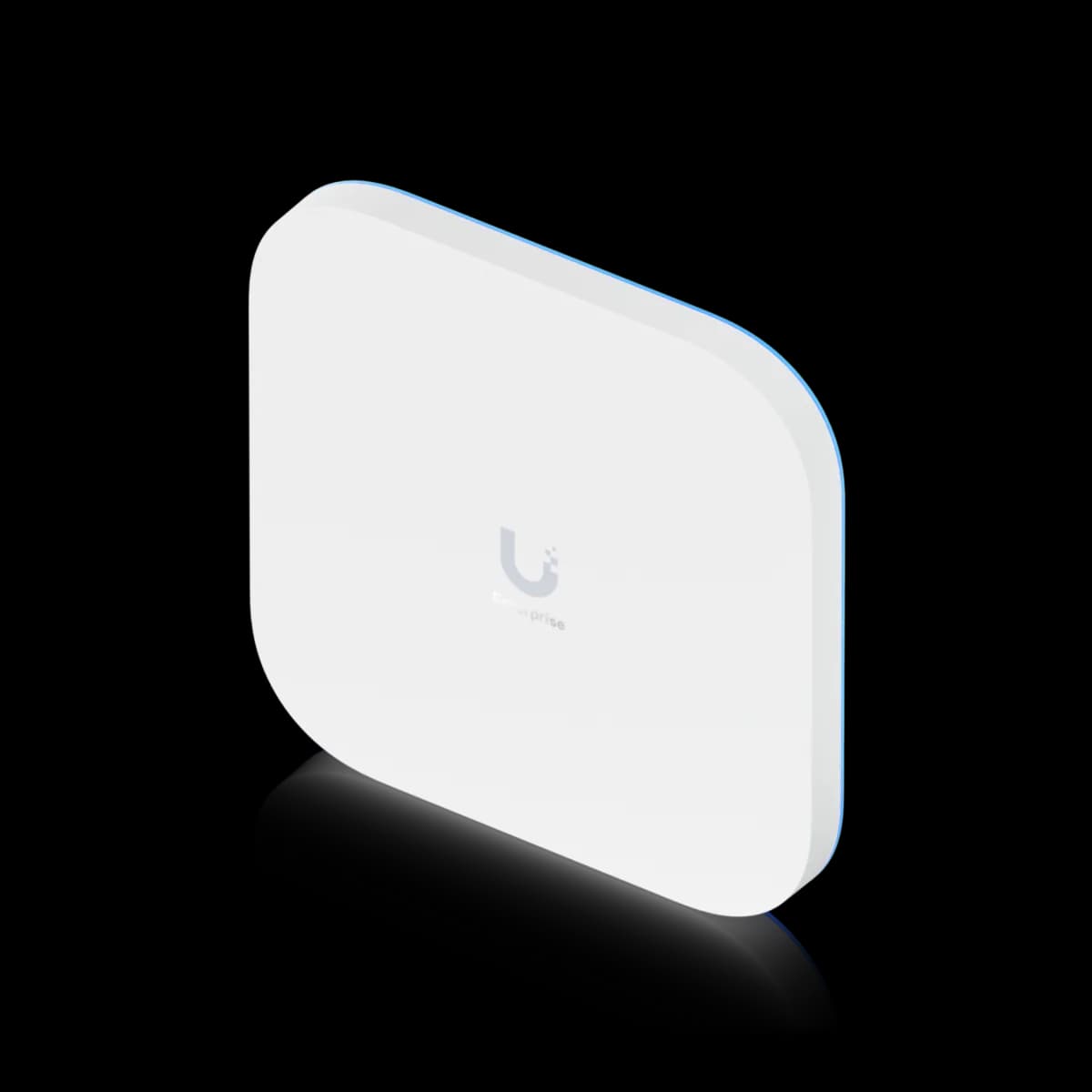
How do they mount? The E7 is square — 250 × 250 × 43.5 mm — and weighs 1.8 kg. The U7 Pro XGS is a ⌀215 × 32.5 mm disc at 800 g. The E7 is more than twice the weight and a third thicker. It is also rated to 50 °C against the XGS's 40 °C, so the larger unit is the one that tolerates a hot ceiling. (E7 specs)

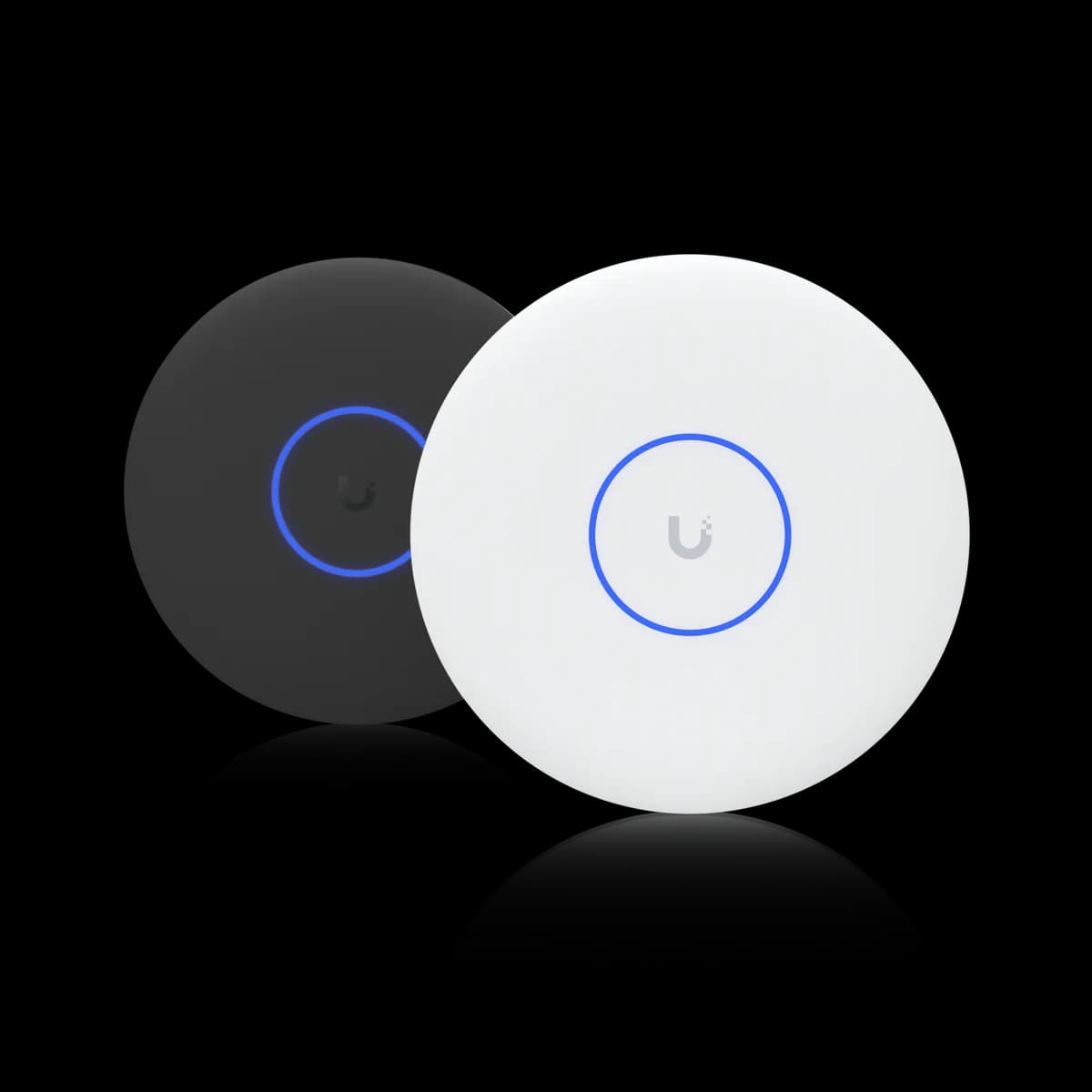
The shape change is the first thing anyone notices. Every other ceiling AP in the UniFi range is a white disc; the E7 is a square panel that reads as equipment rather than as a smoke detector. In an office or a venue that is fine or even preferred. In a home living room it is a visible object, and 1.8 kg into plasterboard wants the anchor the box supplies rather than whatever is in the drawer.

The temperature rating is the more useful difference, and it runs opposite to the intuition. The U7 Pro XGS is rated to 40 °C, the lowest ceiling of any AP tracked here, and a sealed roof void above an upper floor in summer can pass it. The E7 is rated to 50 °C, matching the U7 Pro Max and most of the range. A hot void is one of the few conditions where the E7 is the right answer for a reason that has nothing to do with capacity.

Both are indoor ceiling-mount units and neither is weather-rated. Both mount over a standard UniFi bracket and both are managed in UniFi Network alongside every other model.

Who Should Buy Which

The 5 GHz radio, the 2.4 GHz radio, the 10 GbE uplink and the spectral analysis are identical, so this decision reduces to one question: how many devices in the room can use 6 GHz, and how hard do they use it at once? If the honest answer is "most of them, at peak," the E7 is the only model here built for it. Otherwise the $200 buys headroom nothing present will reach.

Buy the E7 if:

  • The room is dense and the clients are new. A 4×4 6 GHz radio at 11.5 Gbps pays off across a population of Wi-Fi 6E and Wi-Fi 7 devices, not on any one of them.
  • One AP has to carry the space. 1000+ clients and 185 m² are the highest ratings of the nine tracked here, and a lecture hall or auditorium is exactly the case.
  • The ceiling void runs hot. 50 °C against the XGS's 40 °C, which is the lowest rating on this site.
  • The PoE++ budget has room for 43 W per AP. Check the switch total before the AP count, not after.

Buy the U7 Pro XGS if:

  • Your clients are mixed or older. On 5 GHz and 2.4 GHz these two APs are the same hardware, and that is where most traffic still is.
  • You are buying more than one. A $499 PoE++ switch runs five XGS or three E7, and more APs beat stronger APs on a floor that needs coverage.
  • The AP is visible. A ⌀215 mm disc at 800 g is a different object from a 250 mm square at 1.8 kg.
  • It is a home. A household will not present 500+ clients, let alone 1000+, and $200 buys a second AP somewhere useful instead.

Still deciding across the range? How to choose a UniFi access point maps all nine models, U7 Pro Max vs U7 Pro XGS covers the step below this one, and the Access Points hub lists the family side by side.

Frequently Asked Questions

The 6 GHz radio, and very little else. The E7 ($499) runs 4×4 on 6 GHz rated at 11.5 Gbps where the U7 Pro XGS ($299) runs 2×2 at 5.8 Gbps, and it is rated for 1000+ clients across 185 m² against 500+ across 160 m². The 4×4 5 GHz radio (8.6 Gbps), the 2.4 GHz radio (688 Mbps), the 10 GbE uplink and the real-time spectral analysis are the same on both. The E7 draws 43 W against 29 W, and both require PoE++ (802.3bt).

Only if the clients in the room can use 6 GHz and enough of them use it at once. Every band a Wi-Fi 6 or older device can reach is rated identically on the two APs, so for a mixed or older fleet the $200 buys capacity nothing present can touch. In a dense space full of recent phones and laptops, the E7's 4×4 6 GHz radio roughly doubles what the band carries and serves two full-width clients at a time rather than in turn. For a home, a second access point is almost always the better use of the money.

Yes. Ubiquiti lists the E7's power method as PoE++ (802.3bt) with a maximum draw of 43 W — the largest of the nine ceiling APs this site tracks. The U7 Pro XGS also requires PoE++, at 29 W; the two are the only APs here that do. The draw matters on a shared budget: Ubiquiti's 155 W Pro XG 8 PoE runs five U7 Pro XGS units or three E7 units.

No. Both list a 4×4 5 GHz radio rated at 8.6 Gbps on 240 MHz channels, and both list 688 Mbps on 2.4 GHz. The E7's 5 GHz transmit power is 30 dBm against the XGS's 29 dBm, and antenna gain is 6 dBi on both. On every band a Wi-Fi 6 or older client can reach, these two access points perform the same.

Three on a 155 W budget, such as Ubiquiti's Pro XG 8 PoE, since 43 W each comes to 129 W and a fourth would need 172 W. The same switch runs five U7 Pro XGS units at 29 W each, for 145 W. Because PoE++ and 10 GbE are not on the same port on every UniFi switch, confirm the specific port supplies both before sizing the AP count.

It is the better of the two for one. Ubiquiti rates the E7 from -30 to 50 °C and the U7 Pro XGS from -30 to 40 °C, the lowest upper limit of any access point tracked on this site. A sealed roof void above an upper floor can exceed 40 °C in summer, so the larger and more power-hungry unit is the one rated to survive it. Neither is weather-rated; both are indoor ceiling-mount models.