Comparison

UNAS Pro vs UNAS Pro 4: Two Ways to Spend the Same $499

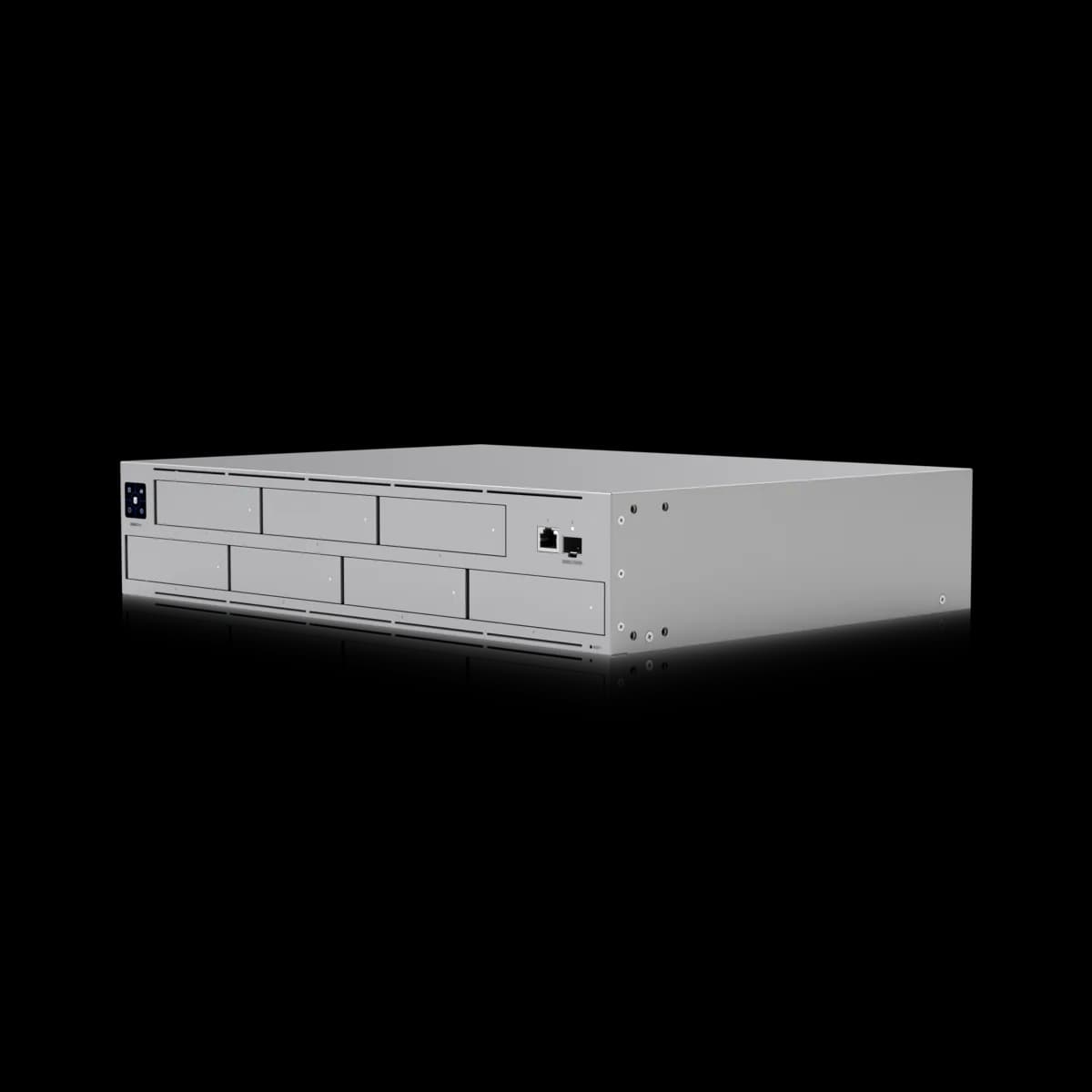
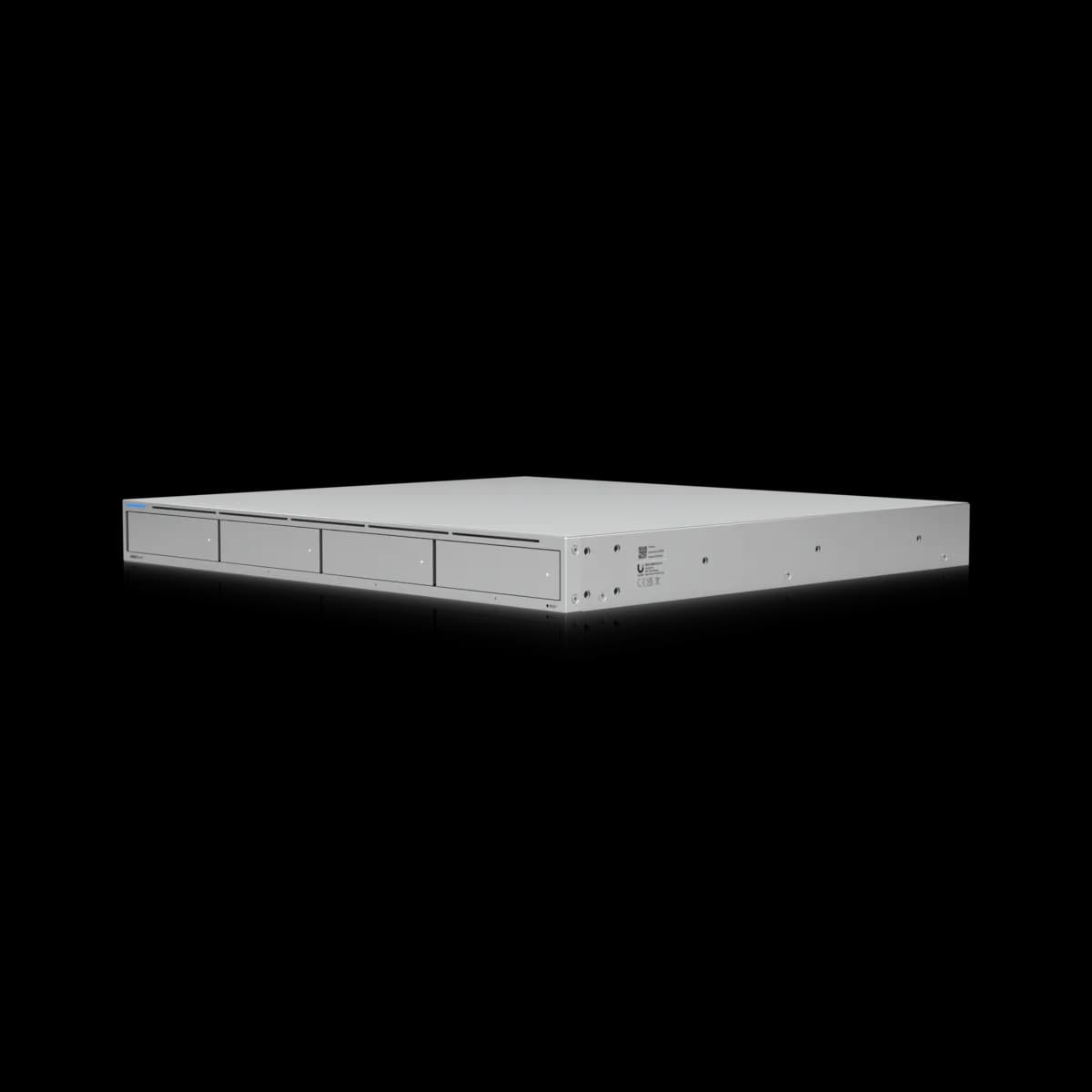
Both cost $499. The UNAS Pro spends it on seven bays in 2U. The UNAS Pro 4 spends it on four bays, NVMe cache, a second 10G SFP+ port and a faster clock in 1U.

Should I buy the UniFi UNAS Pro or the UNAS Pro 4?

Both cost $499, and they spend it in opposite directions. The UNAS Pro is 2U with seven 2.5/3.5" bays, multiple RAID groups and hot-spare support, on a Cortex-A57 at 1.7 GHz with one 10G SFP+ port. The UNAS Pro 4 is 1U with four bays, two M.2 NVMe slots for SSD cache, two 10G SFP+ ports and a 2.0 GHz clock, and it lists a single RAID group. Memory, the 1 GbE RJ45 and the USP-RPS input are the same on both. Buy the UNAS Pro when the brief is capacity, and the Pro 4 when it is a small, fast share in a tight rack.

Spec Comparison

SpecUniFi UNAS ProUniFi UNAS Pro 4
ProcessorQuad-core ARM Cortex-A57 at 1.7 GHzQuad-core ARM Cortex-A57 at 2.0 GHz
System Memory8 GB8 GB
Drive Capacity(7) 2.5/3.5" HDD / SSD(4) 2.5/3.5" HDD / SSD + (2) M.2 NVMe SSD
Max Power Budget for Drives135 W125 W
Networking Interface(1) 10G SFP+ (10G/1G) + (1) GbE RJ45 (1G/100M/10M)(2) 10G SFP+ (10G only) + (1) GbE RJ45 (1G/100M/10M)
RAID TypesRAID 5, RAID 6, RAID 10RAID 5, RAID 6, RAID 10
RAID GroupsMultipleSingle
Hot Spare SupportYes
File ProtocolsSMB, NFSSMB, NFS
SnapshotsYesYes
File EncryptionYesYes
Time Machine BackupYesYes
Backup DestinationsRemote UNAS, CIFS/SMB server, cloud (Google Drive, OneDrive, Dropbox, Amazon S3, Backblaze B2, Wasabi)Remote UNAS, CIFS/SMB server, cloud (Google Drive, OneDrive, Dropbox, Amazon S3, Backblaze B2, Wasabi)
Display1.3" touchscreen
Power RedundancyYes (USP-RPS)Yes (USP-RPS)
Power SupplyAC/DC, internal, 200 WAC/DC, internal, 150 W
Form FactorRackmount (2U)Rackmount (1U)
Dimensions442.4 × 325 × 87.4 mm442.4 × 400 × 43.7 mm
Weight9.2 kg (9.5 kg with mounting brackets)6.7 kg
Max Power Draw160 W150 W
SSD CacheYes
Max NVMe SSD Capacity4 TiB

Pricing & Positioning

What does $499 buy? Bays on one, platform on the other. The UNAS Pro lists seven 2.5/3.5" bays in 2U and no M.2 slots. The UNAS Pro 4 lists four bays in 1U, plus two M.2 NVMe slots for SSD cache, a second 10G SFP+ port and a 2.0 GHz clock against 1.7 GHz. (UNAS Pro 4 specs)

Most matchups on this site come with a price gap to argue about. This one has none, which leaves the decision unusually clean. In fact, the only question is which half of a NAS matters more to the job: the room inside it, or the hardware around the room.

The per-bay figures show how far apart the two sit. Seven bays for $499 is $71 a bay, and four bays for $499 is $125. That said, the Pro 4 is not charging $54 a bay for nothing. The money goes to a cache tier, a second 10G SFP+ port and a faster processor, and the sections below weigh each of them.

These are two of the three rack-mount models this site tracks, and both cost $499. The Network Storage hub sets all three side by side. Additionally, the $799 UNAS Pro 8 sits above both, with eight bays on the Pro 4's processor and cache design.

Seven Bays Against Four Bays and a Cache

Which one has SSD cache? Only the Pro 4. The UNAS Pro 4 lists (2) M.2 NVMe bays, an SSD Cache feature and a 4 TiB maximum NVMe capacity. The UNAS Pro sheet lists (7) 2.5/3.5" HDD / SSD bays and carries no M.2 or SSD cache row. (UNAS Pro specs)

A cache tier earns its keep on small, repeated reads, which is what a shared working folder produces all day. For instance, a design team opening the same project files will feel a cache long before it feels a bay count. An overnight backup, on the other hand, is one long sequential write, and it gains little from one.

Keep in mind that Ubiquiti publishes no throughput figure for either model, with or without cache. This page will not invent one. The 4 TiB figure is quoted as printed, and the sheet does not say whether it applies per slot or in total.

The three extra bays are the other side of the ledger. As a result, the UNAS Pro holds 75% more drives than the Pro 4. The drive power budgets are closer than the bay counts, at 135 W against 125 W. Ubiquiti does not say how the Pro 4's figure divides between its bays and its M.2 slots. Ubiquiti sells the drives separately for both, so empty bays cost nothing until they are filled.

RAID on Seven Bays and on Four

What differs in RAID? Layout, not levels. Both list RAID 5, RAID 6 and RAID 10. The UNAS Pro lists Multiple RAID groups and a Hot Spare Support row. The UNAS Pro 4 lists a Single RAID group, and its sheet carries no hot-spare row. (UNAS Pro 4 specs)

Note that the missing row is a fact about the spec sheet and nothing more. Ubiquiti prints "Hot Spare Support" for the UNAS Pro and prints no such row for the Pro 4. This page will not read that as "unsupported", because the sheet does not say so. A build that depends on a hot spare should confirm it with Ubiquiti first.

The arithmetic is where seven bays pull ahead. Standard RAID 6 spends two drives on parity, so four bays keep two drives of capacity, which is half of what was bought. On seven it leaves five, so the parity cost falls from 50% to 29%.

What's more, seven bays leave room for choices that four do not. For example, six drives in RAID 6 with the seventh bay as a hot spare still keeps four drives of capacity. That is twice what a four-bay RAID 6 array keeps, with a spare standing by.

Processor and Ports

Which is the faster machine? On paper, the Pro 4. It lists a quad-core ARM Cortex-A57 at 2.0 GHz against 1.7 GHz, and (2) 10G SFP+ ports against (1). Memory is 8 GB on both, and both list a 1 GbE RJ45. The UNAS Pro port is marked 10G/1G. The UNAS Pro 4 pair is marked 10G only. (UNAS Pro 4 specs)

The clock difference is real and modest: the same core design, 18% faster. However, Ubiquiti publishes no benchmark for either unit. This page therefore stops at the specification, which is a faster clock on the same core design and no published figure for what it delivers.

The port marking deserves more attention than it usually gets. Be aware that, going by the two sheets, a rack still running 1G SFP modules can link the UNAS Pro over SFP+ and cannot link the Pro 4 that way. On the Pro 4, anything below 10G has to use the 1 GbE RJ45. Therefore the Pro 4 assumes a 10G SFP+ switch port, such as the pair on the USW Pro 24 PoE or the USW Pro Max 24 PoE.

Neither sheet says how the Pro 4's two SFP+ ports may be combined, so this page does not either. A second port is a second path in any case. Switch uplinks and link aggregation explains why a bonded pair never doubles a single copy.

Rack Space and Power

What does each cost to install? The UNAS Pro 4 is 1U, 400 mm deep and 6.7 kg, with a 150 W maximum draw. The UNAS Pro is 2U, 325 mm deep and 9.2 kg, with a 160 W maximum. Both are 442.4 mm wide, and both list a USP-RPS DC input for redundant power. (UNAS Pro specs)

The surprise is depth. The 1U unit is the deeper one, by 75 mm, so the Pro 4 saves a rack unit and costs rack depth. Accordingly, a shallow wall cabinet may take the taller UNAS Pro and refuse the thinner Pro 4. Measure usable depth before height.

In addition, the mounting figures differ. Ubiquiti lists the Pro 4's rails for four-post racks with square holes and post depths from 600 to 1066 mm. The UNAS Pro is listed for 19" four-post racks with post depths from 650 to 1000 mm. Both are four-post figures, so a two-post rack needs a closer look at either sheet.

Redundant power does not separate them. Each unit has one internal supply and a USP-RPS DC input, so redundancy means Ubiquiti's USP-RPS at $399 on either. Naturally, that purchase changes the wider sum. At $898 with the RPS, either unit costs $99 more than the $799 UNAS Pro 8, whose spec sheet lists two hot-swappable power modules of its own.

Which to Buy

Buy the UNAS Pro when capacity is the brief. These are the cases it wins outright:

  • Backups, archives and media. Large sequential jobs gain little from cache, and $71 a bay against $125 is a wide margin.
  • RAID 6 with room to spare. Seven bays keep five drives of capacity under dual parity, or four with a hot spare standing by.
  • A shallow cabinet or a 1G SFP network. It is 325 mm deep, and its SFP+ port is listed for 1G as well as 10G.

Buy the UNAS Pro 4 when the share is small and busy. For instance, it suits a working volume that many people open at once, in a rack with a free 10G SFP+ port and only 1U to give. Overall, four bays are a hard ceiling, so size the array after parity before committing.

However, if both lists sound right, the answer is the third model. The UNAS Pro 8 pairs eight bays with the Pro 4's processor and cache for $300 more, and UNAS Pro 4 vs UNAS Pro 8 sets out what that buys.

Frequently Asked Questions

Both cost $499. The UNAS Pro is a 2U unit with seven 2.5/3.5" bays, multiple RAID groups, hot-spare support, a 1.3" touchscreen, a quad-core Cortex-A57 at 1.7 GHz and one 10G SFP+ port listed for 10G or 1G. The UNAS Pro 4 is a 1U unit with four bays, two M.2 NVMe slots for SSD cache, the same processor design at 2.0 GHz, two 10G SFP+ ports listed as 10G only, and a single RAID group. Both have 8 GB of memory, a 1 GbE RJ45 and a USP-RPS DC input, and both list SMB, NFS, RAID 5, 6 and 10, snapshots, encryption and Time Machine backup.

It depends on what is being bought. Per bay the UNAS Pro is far cheaper, at $71 against $125, because it fits seven bays into the same $499. The UNAS Pro 4 spends the difference on two M.2 NVMe cache slots, a second 10G SFP+ port and a 2.0 GHz clock against 1.7 GHz. For bulk capacity the UNAS Pro is the better value, and for a small, busy share the Pro 4 is.

Its spec sheet lists none. The UNAS Pro page shows seven 2.5/3.5" HDD / SSD bays and carries no M.2 bay or SSD cache row. The UNAS Pro 4 and UNAS Pro 8 sheets both list two M.2 NVMe bays, an SSD Cache feature and a 4 TiB maximum NVMe capacity.

Standard RAID 6 spends two drives on parity. On the four-bay UNAS Pro 4 that leaves two drives of capacity, half of the raw total. On the seven-bay UNAS Pro it leaves five of seven, so the parity cost falls from 50% to 29%. Six drives in RAID 6 with the seventh bay as a hot spare still keeps four drives of capacity, which is twice the four-bay figure.

It is shorter and lighter, and also deeper. The UNAS Pro 4 is 1U, 400 mm deep and 6.7 kg. The UNAS Pro is 2U, 325 mm deep and 9.2 kg. Both are 442.4 mm wide. The 75 mm of extra depth matters in a shallow wall cabinet, where the taller unit may fit and the thinner one may not.

Not over SFP+, according to the spec sheet, which lists both of its SFP+ ports as 10G only. Its 1 GbE RJ45 is the port for anything below 10G. The UNAS Pro's single SFP+ port is listed as 10G/1G, so it can link to a 1G SFP port directly.