Comparison

UniFi UDM-Pro vs UDM-SE: 180 W of PoE

Same 3.5 Gbps IPS, same processor, same 1U case. The $499 Dream Machine SE adds a 180 W PoE budget and a 2.5 GbE WAN to the $379 UDM-Pro. Which to rack?

Should I buy the UniFi Dream Machine Pro or the Dream Machine SE?

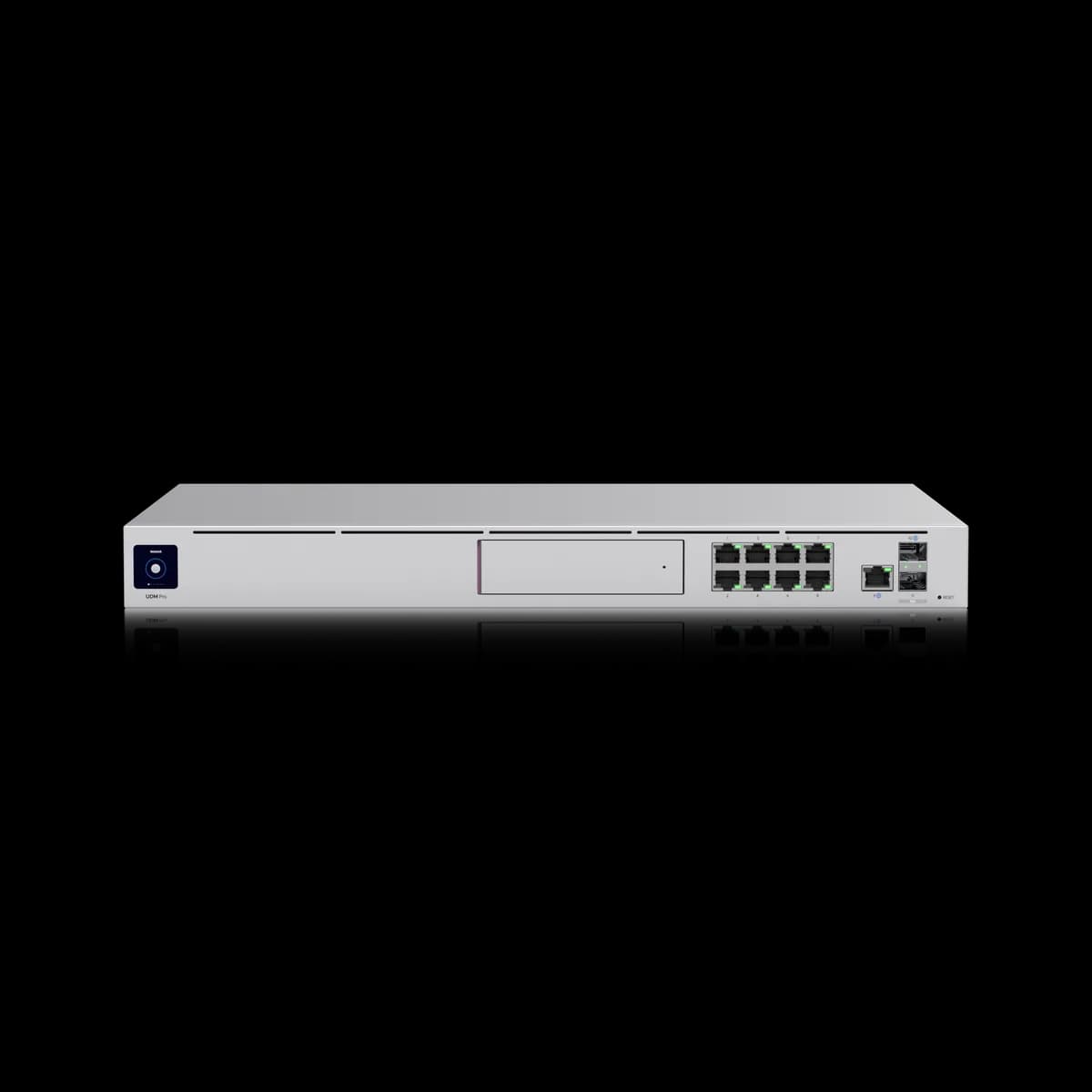
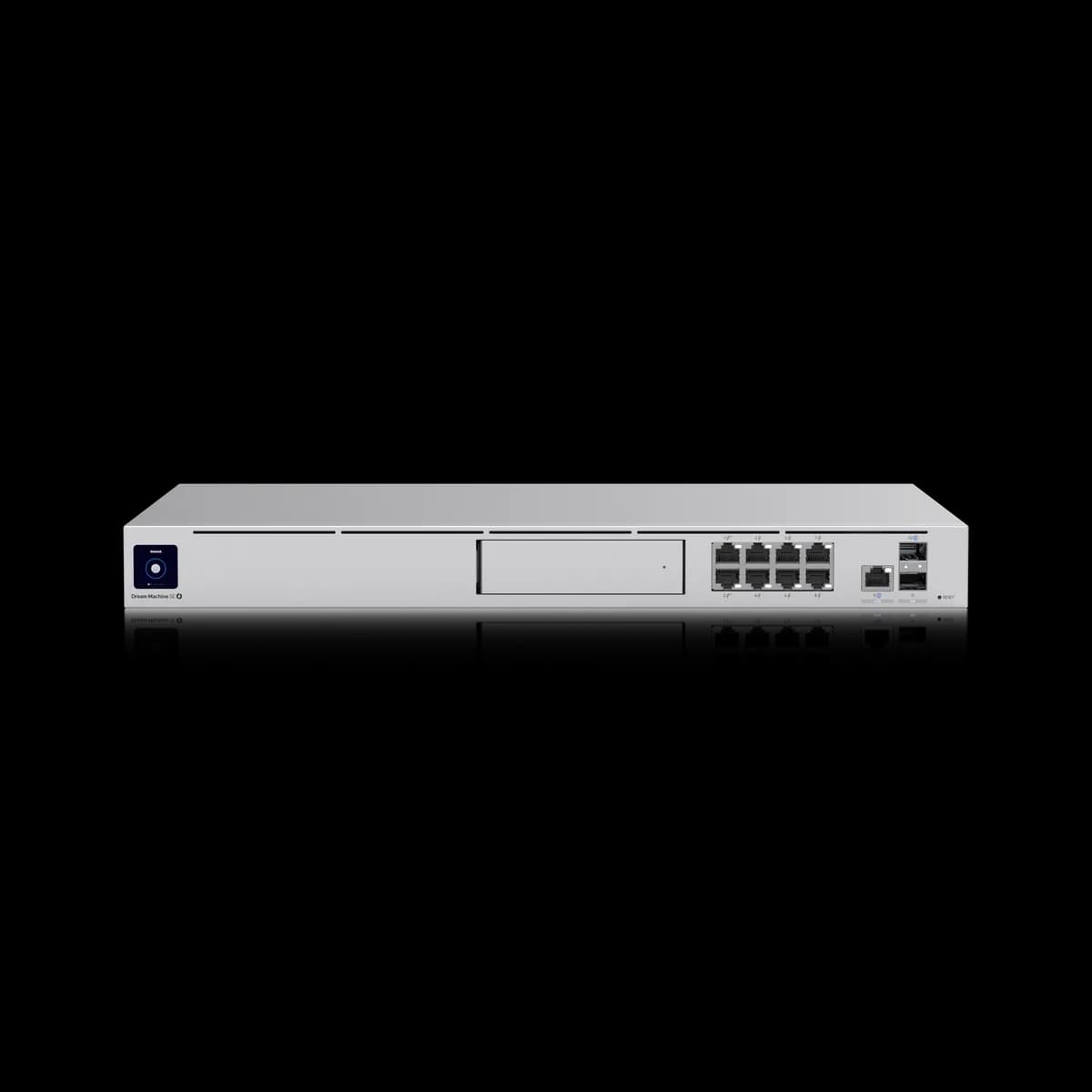
The Dream Machine SE ($499) is the UDM-Pro ($379) with PoE. Both rate 3.5 Gbps of IDS/IPS from the same quad-core A57 at 1.7 GHz and 4 GB of memory, both take a 3.5-inch Protect drive, and both are rated for 100+ UniFi devices and 1,000+ users. The extra $120 buys a 180 W PoE budget across eight ports, a 2.5 GbE WAN in place of gigabit, and a 128 GB SSD alongside the drive bay. Buy the SE if cameras or access points need power. Buy the UDM-Pro if a PoE switch is already racked.

Spec Comparison

SpecUniFi Dream Machine ProUniFi Dream Machine SE
ProcessorQuad-core ARM Cortex-A57 @ 1.7 GHzQuad-core ARM Cortex-A57 @ 1.7 GHz
System Memory4 GB4 GB
On-Board Storage16 GB16 GB eMMC + 128 GB SSD
WAN Port(1) 10G SFP+ + (1) GbE RJ45 (default WAN)(1) 10G SFP+ + (1) 2.5 GbE RJ45 (default)
LAN Ports(9) GbE RJ45 + (2) 10G SFP+ total, one of each used as WAN(8) GbE RJ45 + (1) 2.5 GbE RJ45 + (2) 10G SFP+ total
IDS/IPS Throughput3.5 Gbps3.5 Gbps
Protect Storage(1) 3.5" HDD bay(1) 3.5" HDD bay + 128 GB SSD
Form FactorRackmount (1U)Rackmount (1U)
Max UniFi Devices100+100+
Max Clients1,000+1,000+
Protect Cameras(24) HD, (14) 2K, (8) 4K(24) HD, (14) 2K, (8) 4K
Dimensions442.4 × 43.7 × 285.6 mm442.4 × 43.7 × 285.6 mm
Weight3.9 kg5 kg
Operating Temp-10 to 40 °C-10 to 40 °C
Max Power Draw33 W50 W (excl. PoE output)
PoE Output180 W total budget (PoE 15.4 W / PoE+ 30 W per port)

Pricing & Positioning

What does the SE add? Power and a faster WAN. The Dream Machine SE carries a 180 W PoE budget across its eight gigabit ports and a 2.5 GbE default WAN, where the UDM-Pro has no PoE and a gigabit WAN. (Dream Machine SE specs)

These two are the closest pair in the rack half of the range, sharing a quad-core A57 at 1.7 GHz, 4 GB of memory, the same 3.5 Gbps IDS/IPS rating, the same 1U case at 442.4 × 43.7 × 285.6 mm, and identical ratings for 100+ UniFi devices, 1,000+ users, and 24 HD cameras.

So the comparison is not about ceilings, because those match. It is about whether the gateway also feeds the devices around it, and that turns on one number: 180 W. How to choose a UniFi gateway places both among the eight gateways this site tracks.

The 180 W Budget

Does the UDM-Pro have PoE? No. Ubiquiti publishes no PoE output for the UDM-Pro, so every camera and access point behind it needs a PoE switch. The Dream Machine SE lists 180 W total, at up to 15.4 W per PoE port or 30 W per PoE+ port. (UDM-Pro specs)

A hundred and eighty watts is a real switch's worth of budget rather than a token port. It carries roughly eight G6 Bullet cameras at 9.9 W each with headroom, or a mix of cameras and access points — a U7 Pro draws up to 21 W on PoE+.

That is the case for the SE stated plainly: for a small site, it removes a device from the rack. A PoE switch costs more than $120 and takes another rack unit, so where the camera count fits inside 180 W the SE is the cheaper and tidier build. PoE budget planning works through the arithmetic before the order.

Past that budget the logic inverts, because a site with twenty cameras needs a switch regardless, and then the UDM-Pro's $120 saving is simply a saving.

WAN: Gigabit or 2.5 GbE

Which takes a faster line? Both, in fact. Each lists two 10G SFP+ ports and either can serve as WAN. The difference is the RJ45: the Dream Machine SE's default copper WAN is 2.5 GbE, where the UDM-Pro's is gigabit. (Dream Machine SE specs)

For a fibre line terminated on SFP+, this row does not matter, since both take 10G there. For a copper handoff from a multi-gig ONT or cable modem, it decides the build: the SE takes that line directly, and the UDM-Pro needs the service to arrive on fibre or be stepped down to a gigabit.

Both rate IDS/IPS at 3.5 Gbps, so inspection is not the constraint on either. UniFi uplinks and aggregation covers what the SFP+ side can carry.

Protect Storage & Memory

Do both record Protect? Yes, both take one 3.5-inch drive, and both are rated for 24 HD, 14 2K, or 8 4K cameras. The Dream Machine SE adds a built-in 128 GB SSD beside the bay, where the UDM-Pro lists 16 GB of on-board storage. (Dream Machine SE specs)

The drive is a user-supplied purchase on both, and the camera ratings are identical, so the recording capability is the same on paper. The SSD on the SE holds the system and gives the appliance somewhere faster to work than eMMC.

Memory matches at 4 GB, and Ubiquiti rates both for the same 100+ UniFi devices and 1,000+ users. If those ratings are the constraint rather than PoE, the step to take is the Dream Machine Pro Max rather than either of these.

Draw & Weight

How much more power? Ubiquiti rates the Dream Machine SE at 50 W excluding PoE output and the UDM-Pro at 33 W. Fully loaded, the SE's 180 W of PoE budget sits on top of its own draw, so the figure a UPS has to carry is far higher than the label. (Dream Machine SE specs)

That matters for a UPS calculation more than an electricity bill, because a rack sized for a 33 W appliance is not sized for one that can pass another 180 W to cameras. Work from the loaded figure, not the idle one.

The SE is also the heavier unit at 5 kg against 3.9 kg, which is the power supply and the PoE circuitry. Both occupy 1U, both list a 1.3-inch touchscreen, and both operate from -10 to 40 °C.

Who Should Buy Which

The routing ceilings are identical, so this is a question about what plugs in behind the gateway.

Buy the Dream Machine SE if:

  • Cameras or access points need power. 180 W is the whole argument, and it usually saves buying a switch.
  • Your line arrives on copper above a gigabit. Its 2.5 GbE WAN takes that directly.
  • You want fewer boxes in the rack. Gateway, PoE, and Protect in one unit.

Buy the UDM-Pro if:

  • A PoE switch is already racked. The SE's main feature is then redundant, and $120 stays with you.
  • Nothing needs more than gigabit on copper. Both have 10G SFP+ for anything faster.
  • The rack is power-budgeted tightly. 33 W against 50 W before any PoE draw.

If the constraint is scale rather than power, UDM-Pro vs Dream Machine Pro Max is the step up, and Cloud Gateway Fiber vs UDM-Pro asks whether a rack is needed at all.

Frequently Asked Questions

PoE and the copper WAN. The Dream Machine SE ($499) adds a 180 W PoE budget across eight ports and a 2.5 GbE default WAN, plus a 128 GB SSD. The UDM-Pro ($379) has neither PoE nor a multi-gig copper WAN. IDS/IPS, processor, memory, drive bay, and the device and client ratings are identical.

No. Ubiquiti publishes no PoE output for the UDM-Pro. Cameras and access points behind one need a PoE switch or injectors. The Dream Machine SE provides 180 W in total, at up to 15.4 W per PoE port and 30 W per PoE+ port.

No. Both rate 3.5 Gbps of IDS/IPS from the same quad-core A57 at 1.7 GHz with 4 GB of memory, and both are rated for 100+ UniFi devices and 1,000+ simultaneous users. The SE's advantages are power delivery and a 2.5 GbE copper WAN, not routing speed.

The same number: Ubiquiti rates both for 24 HD, 14 2K, or 8 4K cameras, each with one 3.5-inch drive bay that takes a user-supplied disk. The Dream Machine SE also carries a built-in 128 GB SSD.

Ubiquiti rates it at 50 W excluding PoE output, against 33 W for the UDM-Pro. Size a UPS from the loaded figure, since up to 180 W of PoE can sit on top of that 50 W. The SE also weighs 5 kg against 3.9 kg.