Comparison

UniFi UDM-Pro vs Pro Max: Twice the Ceiling

The $599 Dream Machine Pro Max doubles the UDM-Pro's memory, device rating and drive bays, and lifts IPS to 5 Gbps. When $220 more is worth it, and when it isn't.

Should I buy the UniFi Dream Machine Pro or the Dream Machine Pro Max?

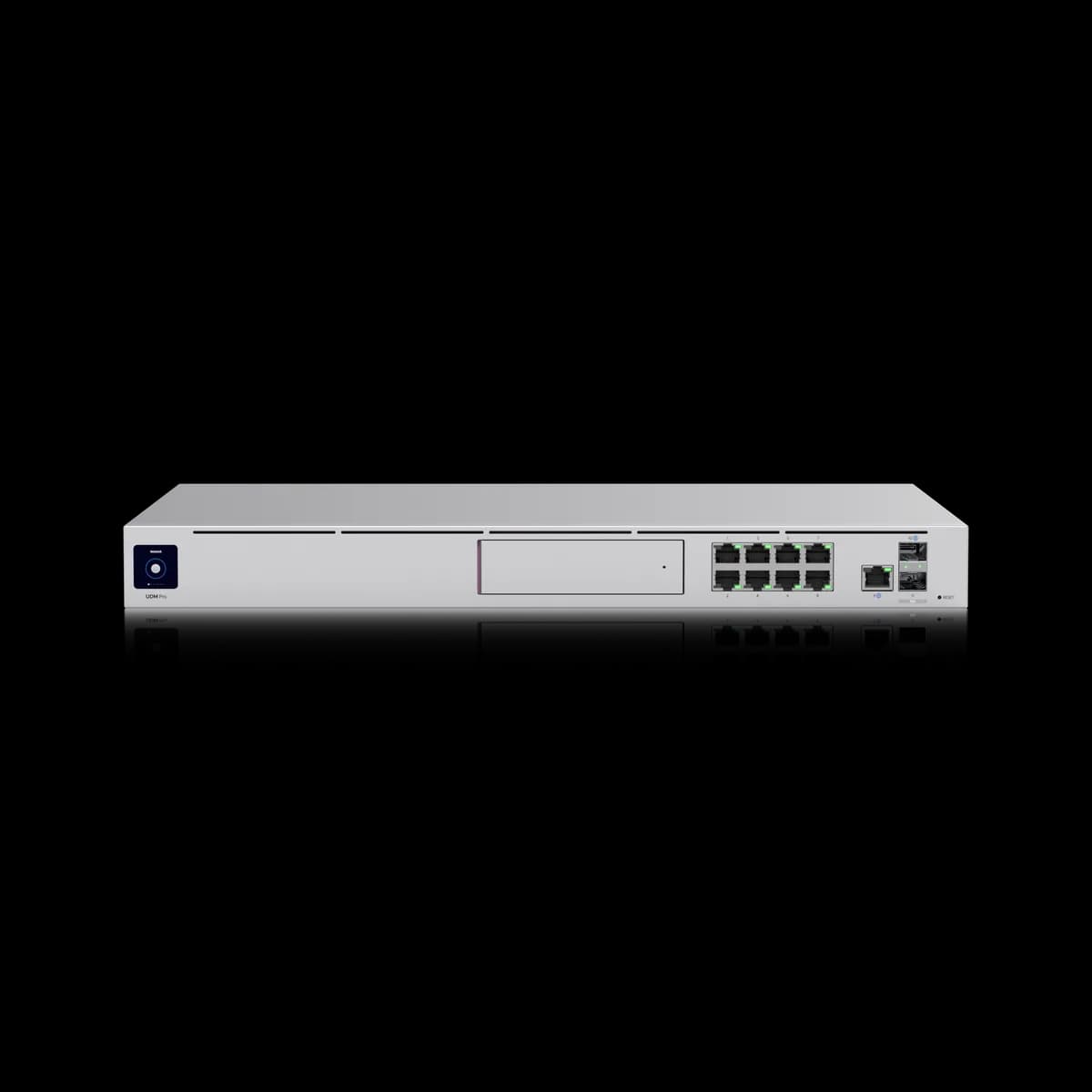
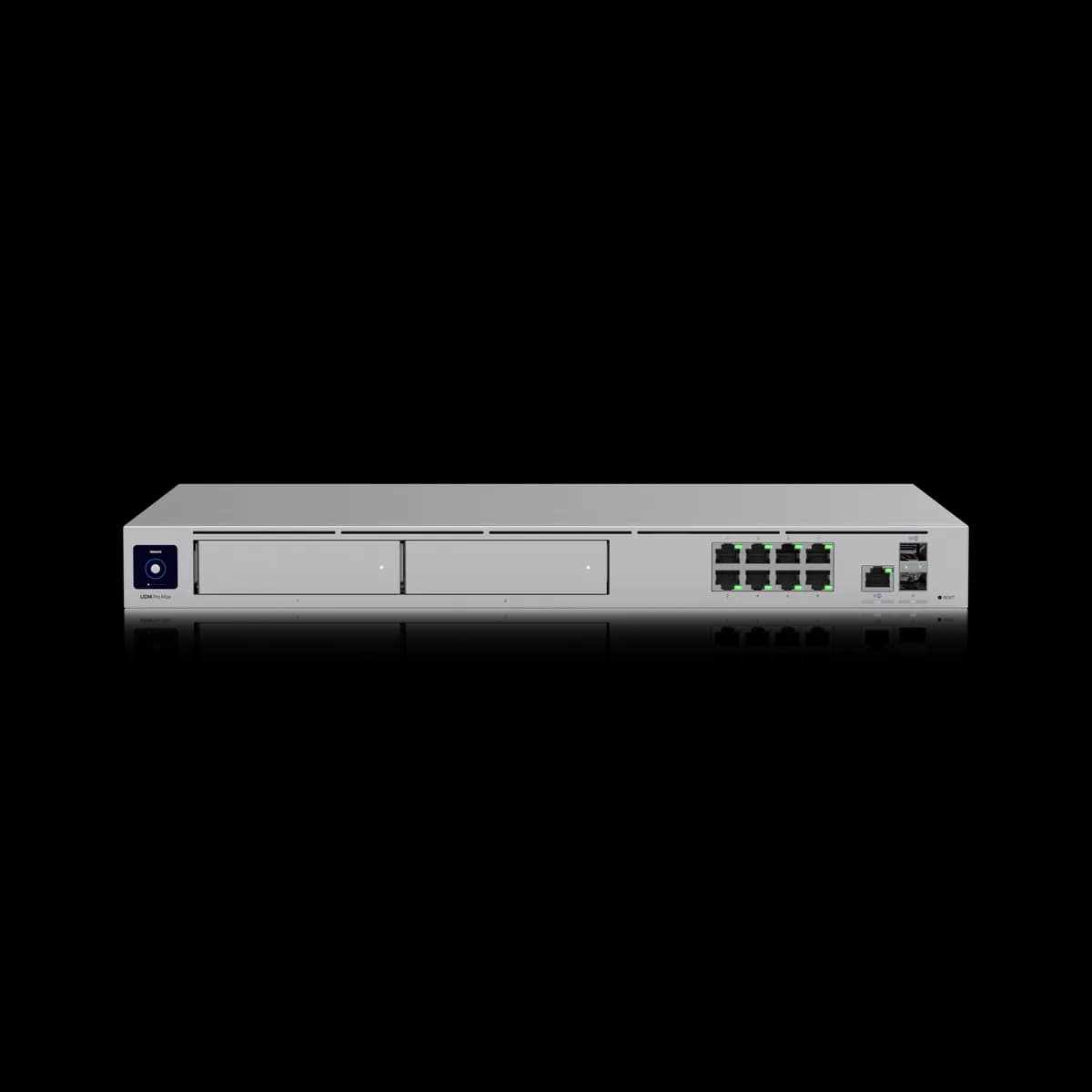
The Dream Machine Pro Max ($599) raises every ceiling the UDM-Pro ($379) has: 5 Gbps of IDS/IPS against 3.5, 8 GB of memory against 4, two 3.5-inch drive bays against one, and ratings of 200+ UniFi devices, 2,000+ users and 50 HD cameras against 100+, 1,000+ and 24. It also takes a 2.5 GbE copper WAN where the UDM-Pro is gigabit. Neither has PoE. Buy the Pro Max when device count, camera count or a faster-than-3.5 Gbps line is the constraint; otherwise the UDM-Pro reaches the same ceilings most racks ever use.

Spec Comparison

SpecUniFi Dream Machine ProUniFi Dream Machine Pro Max
ProcessorQuad-core ARM Cortex-A57 @ 1.7 GHzQuad-core ARM Cortex-A57 @ 2.0 GHz
System Memory4 GB8 GB
On-Board Storage16 GB32 GB eMMC + 128 GB SSD
WAN Port(1) 10G SFP+ + (1) GbE RJ45 (default WAN)(1) 10G SFP+ + (1) 2.5 GbE RJ45 (default)
LAN Ports(9) GbE RJ45 + (2) 10G SFP+ total, one of each used as WAN(8) GbE RJ45 + (1) 2.5 GbE RJ45 + (2) 10G SFP+ total
IDS/IPS Throughput3.5 Gbps5 Gbps
Protect Storage(1) 3.5" HDD bay(2) 3.5" HDD bays + 128 GB SSD
Form FactorRackmount (1U)Rackmount (1U)
Max UniFi Devices100+200+
Max Clients1,000+2,000+
Protect Cameras(24) HD, (14) 2K, (8) 4K(50) HD, (25) 2K, (15) 4K
Dimensions442.4 × 43.7 × 285.6 mm442.4 × 43.7 × 285.6 mm
Weight3.9 kg4.7 kg
Operating Temp-10 to 40 °C-10 to 40 °C
Max Power Draw33 W60 W

Pricing & Positioning

What does $220 add? Headroom on every axis. The Dream Machine Pro Max lists 5 Gbps of IDS/IPS, 8 GB of memory, two 3.5-inch drive bays, and ratings for 200+ UniFi devices, against 3.5 Gbps, 4 GB, one bay, and 100+ on the UDM-Pro. (Dream Machine Pro Max specs)

Both are 1U rack units in the same 442.4 × 43.7 × 285.6 mm case, both run UniFi Network and Protect on-device, and neither provides PoE. The Pro Max is the larger machine inside rather than a different kind of machine.

That makes this an unusually clean upgrade question, because nothing is traded away. The only question is whether the extra ceilings are ones a given site will reach, and most homes will not. How to choose a UniFi gateway places each among the eight tracked here.

Devices, Users & Cameras

How much more can it manage? Roughly double across the board. Ubiquiti rates the Dream Machine Pro Max for 200+ UniFi devices, 2,000+ simultaneous users, and 50 HD, 25 2K or 15 4K cameras, against 100+, 1,000+, and 24 HD, 14 2K or 8 4K for the UDM-Pro. (Dream Machine Pro Max specs)

The camera line is the one that decides real builds, because a site that grows past 8 recorded 4K streams has nowhere to go on a UDM-Pro except a separate NVR. The Pro Max nearly doubles that to 15, and its second drive bay gives that footage somewhere to live.

The hardware underneath moves with those ratings. The Pro Max lists 8 GB of memory against 4 GB and a quad-core A57 at 2.0 GHz against 1.7 GHz, which is the same core generation running wider and faster rather than a new architecture.

For a home with a dozen UniFi devices and a handful of cameras, none of these ceilings is in view, and the money is better spent on access points or cameras than on headroom.

One Drive Bay or Two

Why two bays? For capacity and redundancy in Protect recording. The Dream Machine Pro Max takes two 3.5-inch drives plus a built-in 128 GB SSD, where the UDM-Pro takes one and lists 16 GB of on-board storage for the system itself. (Dream Machine Pro Max specs)

Two bays mean a longer retention window on the same camera count, or the same window with a second copy of the footage. On a single-bay unit, filling the disk means shortening retention or replacing the drive with a larger one.

Drives are a separate purchase on both, so compare the build cost rather than the sticker: two disks on top of $599 against one on top of $379. Protect storage sizing turns a camera count and a retention target into a disk size.

Inspection & the Copper WAN

Which inspects faster? The Dream Machine Pro Max, at 5 Gbps of IDS/IPS against the UDM-Pro's 3.5 Gbps. Its default copper WAN is 2.5 GbE where the UDM-Pro's is gigabit, and both carry two 10G SFP+ ports for a fibre handoff. (Dream Machine Pro Max specs)

A 3.5 Gbps ceiling already clears most business lines, so this row decides fewer builds than the capacity ratings do. Where it matters is a multi-gig service that the site intends to use fully with inspection switched on.

The copper WAN is the more practical difference. A 2 Gbps line arriving on RJ45 plugs into the Pro Max and does not plug into the UDM-Pro at full speed, and a media converter or an SFP+ module is the workaround on the older unit.

Draw & Weight

More power? Yes, 60 W against 33 W, and the Pro Max weighs 4.7 kg against 3.9 kg. Neither provides PoE, so both figures are the appliance drawing for itself rather than a budget passed through to cameras. (UDM-Pro specs)

Two drives account for part of that, and the faster processor and larger memory for the rest. In a rack already sized for switches, neither figure is a constraint.

Both occupy 1U, both carry a 1.3-inch touchscreen, and both operate from -10 to 40 °C. Physically, the only way to tell them apart in a rack is the second drive bay.

Who Should Buy Which

Nothing is traded here, so the question is only whether the ceilings are reachable at your site.

Buy the Dream Machine Pro Max if:

  • The camera count is growing. 50 HD or 15 4K streams against 24 and 8, with a second bay for the footage.
  • The device count is past 100. That is the UDM-Pro's rating, and the Pro Max doubles it.
  • A multi-gig line arrives on copper. Its 2.5 GbE WAN takes it; the UDM-Pro's gigabit port does not.

Buy the UDM-Pro if:

  • Your site is a home or small office. 100+ devices and 1,000+ users is more than most buildings hold.
  • Eight 4K cameras is enough. One drive bay covers a typical residential camera set.
  • You would rather spend $220 on hardware you will use. An access point or two changes coverage more than headroom does.

If PoE is the missing piece rather than capacity, UDM-Pro vs UDM-SE covers the unit that brings 180 W, and Dream Machine SE vs Pro Max puts those two against each other.

Frequently Asked Questions

Only if a ceiling is in view. The Pro Max doubles memory to 8 GB, device capacity to 200+, user capacity to 2,000+, camera capacity to 50 HD, and drive bays to two, and raises IDS/IPS to 5 Gbps. A home or small office rarely reaches any of those on a UDM-Pro.

No. Ubiquiti publishes no PoE output for either the Dream Machine Pro Max or the UDM-Pro, so cameras and access points need a PoE switch. The Dream Machine SE is the rack unit that provides PoE, at 180 W.

Ubiquiti rates it for 50 HD, 25 2K, or 15 4K cameras, against 24, 14, and 8 for the UDM-Pro. It also takes two 3.5-inch drives where the UDM-Pro takes one, so the footage has somewhere to go.

5 Gbps, against 3.5 Gbps on the UDM-Pro. Of the eight gateways this site tracks, only the Pro Max and the $279 Cloud Gateway Fiber reach 5 Gbps.

Yes. Both list two 10G SFP+ ports, either of which can serve as WAN. They differ on copper: the Pro Max's default RJ45 WAN is 2.5 GbE and the UDM-Pro's is gigabit.