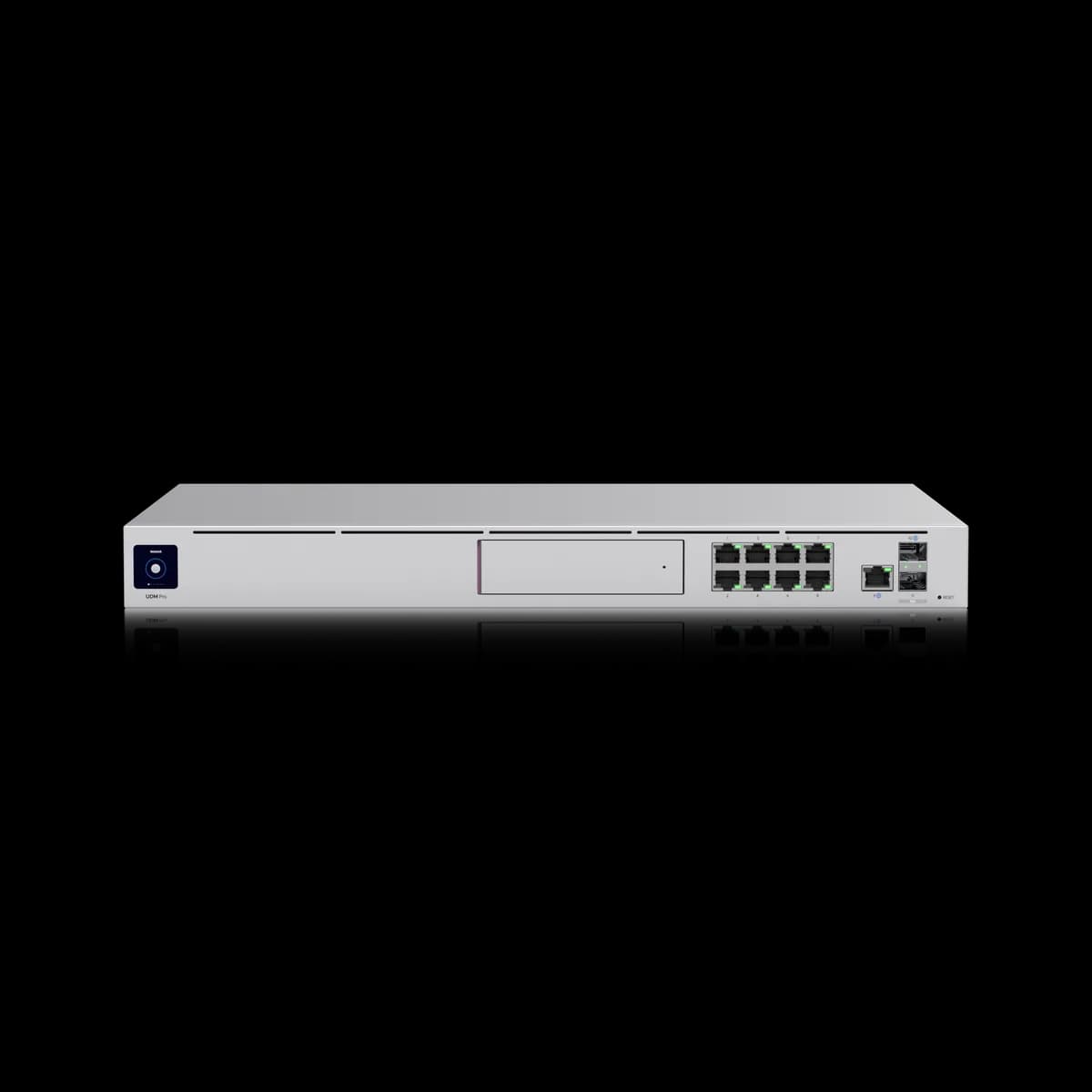
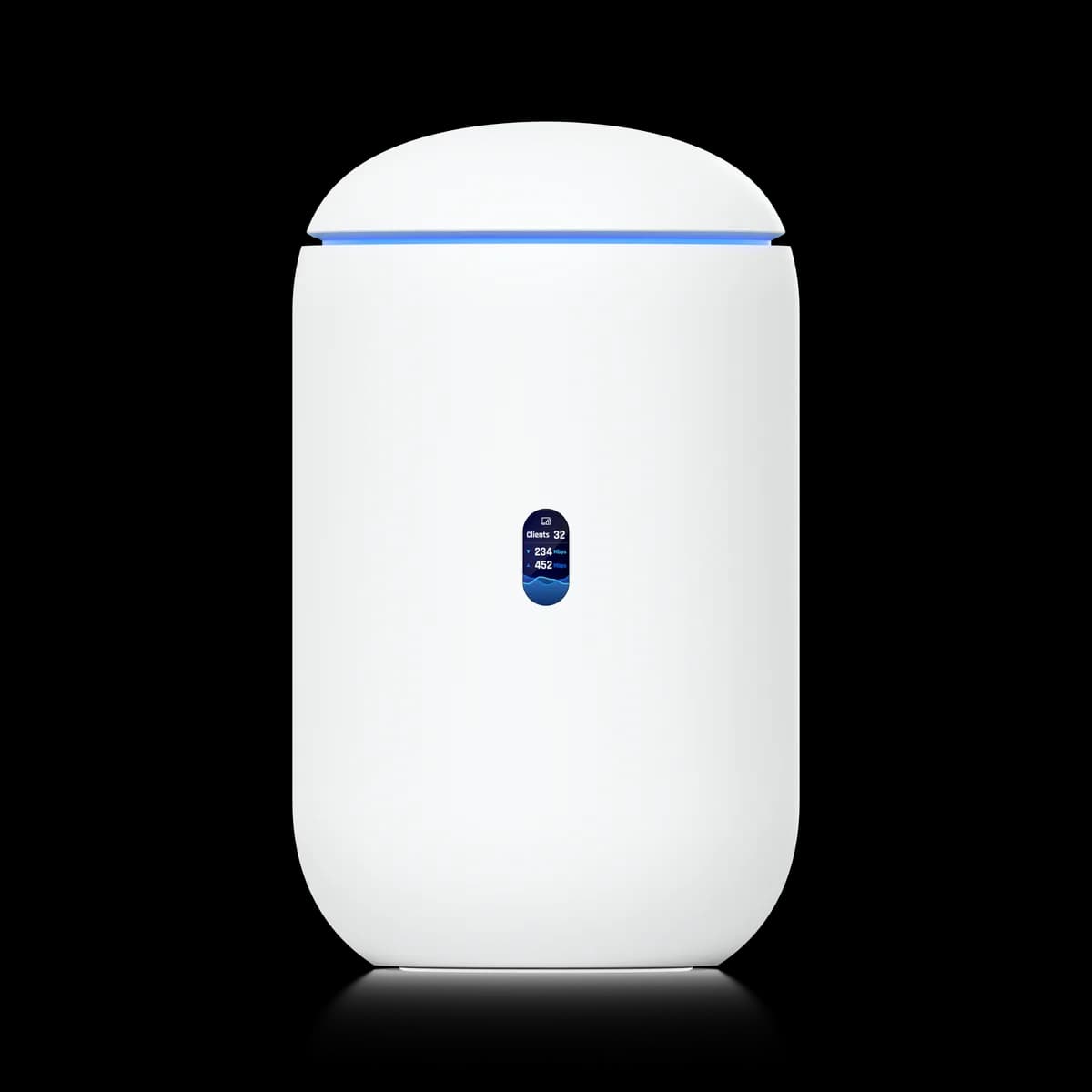
Comparison

UDM-Pro vs Dream Router: Rack or One Box

The UDM-Pro is the rackmount workhorse — 3.5 Gbps IPS, 10G, and a Protect HDD bay; the $199 Dream Router is the all-in-one with Wi-Fi 6 and PoE. Which to buy?

Should I buy the UniFi Dream Machine Pro or the Dream Router?

Buy the Dream Router ($199) for a first small-home network — it is the gateway, Wi-Fi 6 AP, PoE switch, and Protect NVR in one desktop box. Step up to the UDM-Pro ($379) only when you run separate APs and switches and need its 3.5 Gbps IPS, 10G uplinks, 1,000+ client headroom, or a large user-supplied Protect drive.

Spec Comparison

SpecUniFi Dream Machine ProUniFi Dream Router
ProcessorQuad-core ARM Cortex-A57 @ 1.7 GHzDual-core ARM Cortex-A53 @ 1.35 GHz
System Memory4 GB
On-Board Storage16 GB128 GB SSD
WAN Port(1) 10G SFP+ + (1) GbE RJ45 (default WAN)(1) GbE RJ45
LAN Ports(8) GbE RJ45 + (1) 10G SFP+(5) GbE RJ45, (2) with PoE
IDS/IPS Throughput3.5 Gbps1 Gbps
NVR HDD Bay(1) 3.5" HDD bay (UniFi Protect)
Form FactorRackmount (1U)Compact desktop
Max UniFi Devices100+20+
Max Clients1,000+150+
Max Power Draw33 W19.37 W (excl. PoE output)
PoE Output40 W total budget (15.4 W max/port)
Integrated Wi-FiWi-Fi 6 — 2.4 Gbps (5 GHz) + 600 Mbps (2.4 GHz)

Positioning: Rack Workhorse vs First Box

Which box is this, and who is it for? The UDM-Pro is a 1U rackmount workhorse at $379 for networks that run separate APs and switches. The Dream Router is the $199 all-in-one desktop box — gateway, Wi-Fi 6, PoE, and a Protect NVR in one unit — built as a first small-home network. (UDM-Pro specs)

These two gateways sit at opposite ends of the UniFi lineup, so they rarely fit the same buyer. The Dream Router collapses an entire network into a single desktop unit — plug in WAN, broadcast Wi-Fi, power two PoE devices, and record cameras, all from one box. The UDM-Pro does the opposite: it is a pure rackmount gateway and 8-port switch designed to anchor a deployment where access points, PoE, and recording capacity scale on dedicated hardware you add yourself.

The split decides your parts list before any spec does. A Dream Router can be a complete network by itself; the UDM-Pro is the high-ceiling core of a larger build. If the modular middle is the better fit, the Cloud Gateway Ultra is the cheaper desktop router between them — the full lineup is mapped in how to choose a UniFi gateway and the Gateways & Routers hub.

IPS & Capacity

Which inspects faster and scales further? The UDM-Pro runs IDS/IPS at up to 3.5 Gbps and is rated for 100+ UniFi devices and 1,000+ clients. The Dream Router tops out at 1 Gbps of IPS and 20+ devices / 150+ clients — the lowest-capacity gateway in the lineup. (UDR specs)

Unlike some sibling matchups where the inspection rating is identical, the gap here is real. The UDM-Pro inspects traffic at up to 3.5 Gbps — faster than a single gigabit line can deliver — while the Dream Router settles around 1 Gbps with full intrusion detection enabled. On a standard gigabit connection both feel adequate, but the UDM-Pro's headroom is the only one of the two that survives a faster-than-gigabit plan with threat inspection on.

Capacity widens the same gap. The Dream Router is tuned for a contained single-box network at 20+ devices and 150+ clients; the UDM-Pro manages 100+ UniFi devices and 1,000+ concurrent clients — roughly seven times the client ceiling. A network that keeps adding access points, cameras, and IoT gear will hit the Dream Router's limit first, which is precisely the case the rackmount workhorse exists for.

Wi-Fi: Integrated vs Separate

Which box has Wi-Fi built in? Here the smaller box wins: only the Dream Router broadcasts its own Wi-Fi 6, rated at 2.4 Gbps (5 GHz) plus 600 Mbps (2.4 GHz). The UDM-Pro has no built-in radio at all and requires separate UniFi access points to put any device on wireless. (UDR specs)

This is the flip that surprises buyers. With most UniFi comparisons the bigger box carries more, but here the entry-level Dream Router is a router and an access point in one chassis, so a small home is covered the moment it powers on — no second purchase. The catch is placement: the built-in AP cannot be repositioned, so coverage is wherever the router physically sits.

The UDM-Pro carries no radio because it is a rackmount gateway, and a rack is the wrong place to broadcast Wi-Fi from. Every UDM-Pro network adds dedicated UniFi access points placed where coverage is actually needed — more hardware to buy, but the stronger long-term shape for anything past a single room. For a true single-box network the Dream Router wins outright; for a tuned wireless deployment the UDM-Pro-plus-APs pairing is the right call.

Ports, Switching & 10G

Which has the ports and the multi-gig WAN? The UDM-Pro has an 8-port gigabit switch plus a 10G SFP+ LAN, and a 10G SFP+ WAN (with a GbE WAN) for multi-gig internet. The Dream Router gives five gigabit LAN ports (two with PoE) on a 1 GbE WAN only — capped at gigabit. (UDM-Pro specs)

Two differences matter here, and they pull in the same direction. On switching, the UDM-Pro is effectively a gateway and an 8-port switch in one chassis, with a 10G SFP+ LAN port for an uplink to a fast switch or NAS; the Dream Router offers five gigabit LAN ports, two of which deliver PoE. A modest wired footprint runs straight off the UDM-Pro, while a growing one around the Dream Router needs a separate switch sooner.

On the WAN side the gap is just as clear. The UDM-Pro takes a 10G SFP+ WAN feed plus a gigabit RJ45 WAN, so a multi-gig internet plan links up natively. The Dream Router has a 1 GbE WAN only and cannot accept more than gigabit on the internet side — if your ISP plan is faster than 1 Gbps, that port limit alone rules it out, and the Cloud Gateway Ultra with its 2.5 GbE WAN is the cheaper multi-gig step.

UniFi Protect Storage

How does each record and power cameras? The UDM-Pro records to a user-supplied 3.5-inch HDD for large Protect capacity, but has no PoE — cameras need a separate PoE switch. The Dream Router both powers a couple of cameras over its 2 PoE ports (40 W total, 15.4 W/port) and records them to a fixed 128 GB SSD. (UDM-Pro specs)

For UniFi Protect, the two boxes solve recording from opposite ends. The UDM-Pro drops a 3.5-inch hard drive you supply into its NVR bay, so capacity scales to terabytes for many cameras with long retention — but its LAN ports deliver no PoE, so every camera needs power from a separate UniFi PoE switch. It is the large-deployment answer that assumes you already run that switch.

The Dream Router is the self-contained alternative: two of its LAN ports push PoE at up to 15.4 W per port and 40 W total, enough to drive a couple of standard UniFi cameras directly, and its onboard 128 GB SSD records them with no extra appliance. The trade is capacity and expansion — 128 GB is fixed and modest next to a user-supplied 3.5-inch drive, and the 40 W budget won't feed power-hungry PoE++ hardware. For a few cameras in a small home the Dream Router is the cheaper, simpler path; for many cameras with long retention the UDM-Pro's drive bay wins.

Who Should Buy Which

The two gateways rarely compete for the same buyer once the requirements are written down. Here is how the decision usually breaks.

Buy the UDM-Pro if:

  • You run separate APs and switches. As a rackmount gateway with an 8-port switch and a 10G SFP+ LAN, it is built to anchor a network where Wi-Fi and switching scale on dedicated hardware.
  • You need IPS headroom or multi-gig WAN. Its 3.5 Gbps inspection ceiling and 10G SFP+ WAN handle internet faster than gigabit with full threat detection on.
  • You are scaling, or recording many cameras. Rated for 100+ devices and 1,000+ clients, with a user-supplied 3.5-inch Protect drive for large NVR capacity.

Buy the Dream Router if:

  • You want one box, not four. Gateway, Wi-Fi 6, a 5-port PoE switch, and a Protect NVR in a single $199 unit — the simplest possible first UniFi network.
  • You want cameras cheaply. Two PoE ports plus a 128 GB SSD power and record a few UniFi Protect cameras with no separate switch or recorder.
  • Your network is small and your internet is gigabit or slower. The 1 GbE WAN is no constraint on a standard line, and the integrated AP covers a small home out of the box.

Still weighing the wider lineup? Start with how to choose a UniFi gateway, or compare each against the modular tier in UDM-Pro vs Cloud Gateway Ultra and Dream Router vs Cloud Gateway Ultra.

Frequently Asked Questions

Yes. The Dream Router has integrated Wi-Fi 6, rated at 2.4 Gbps on 5 GHz plus 600 Mbps on 2.4 GHz, so it broadcasts wireless on its own. The UDM-Pro has no built-in radio at all and requires separate UniFi access points for any wireless coverage — it is a rackmount gateway, not an all-in-one.

The UDM-Pro, by a wide margin. It is rated for 100+ UniFi devices and 1,000+ concurrent clients, while the Dream Router tops out at 20+ devices and 150+ clients — the lowest capacity in the gateway lineup. For a network that keeps adding access points, cameras, and IoT gear, the UDM-Pro has roughly seven times the client headroom.

Yes. The UDM-Pro has no integrated Wi-Fi, so every wireless device connects through separate UniFi access points you add and place where coverage is needed. The Dream Router includes Wi-Fi 6 in the box, so a small home is covered the moment it powers on, though its built-in radio cannot be repositioned.

It depends on scale. The Dream Router powers a couple of cameras over its two PoE ports (40 W total, 15.4 W per port) and records to a fixed 128 GB SSD, so a few cameras work with no extra hardware. The UDM-Pro records to a user-supplied 3.5-inch HDD for far larger Protect capacity but provides no PoE, so its cameras need a separate PoE switch — the better choice for many cameras with long retention.