Comparison

UniFi UDM-Pro vs Cloud Gateway Ultra

The UDM-Pro brings 3.5 Gbps IPS, 10G uplinks, and an onboard Protect NVR; the $129 Cloud Gateway Ultra counters with fanless 2.5 GbE simplicity. Which to buy?

Should I buy the UniFi Dream Machine Pro or the Cloud Gateway Ultra?

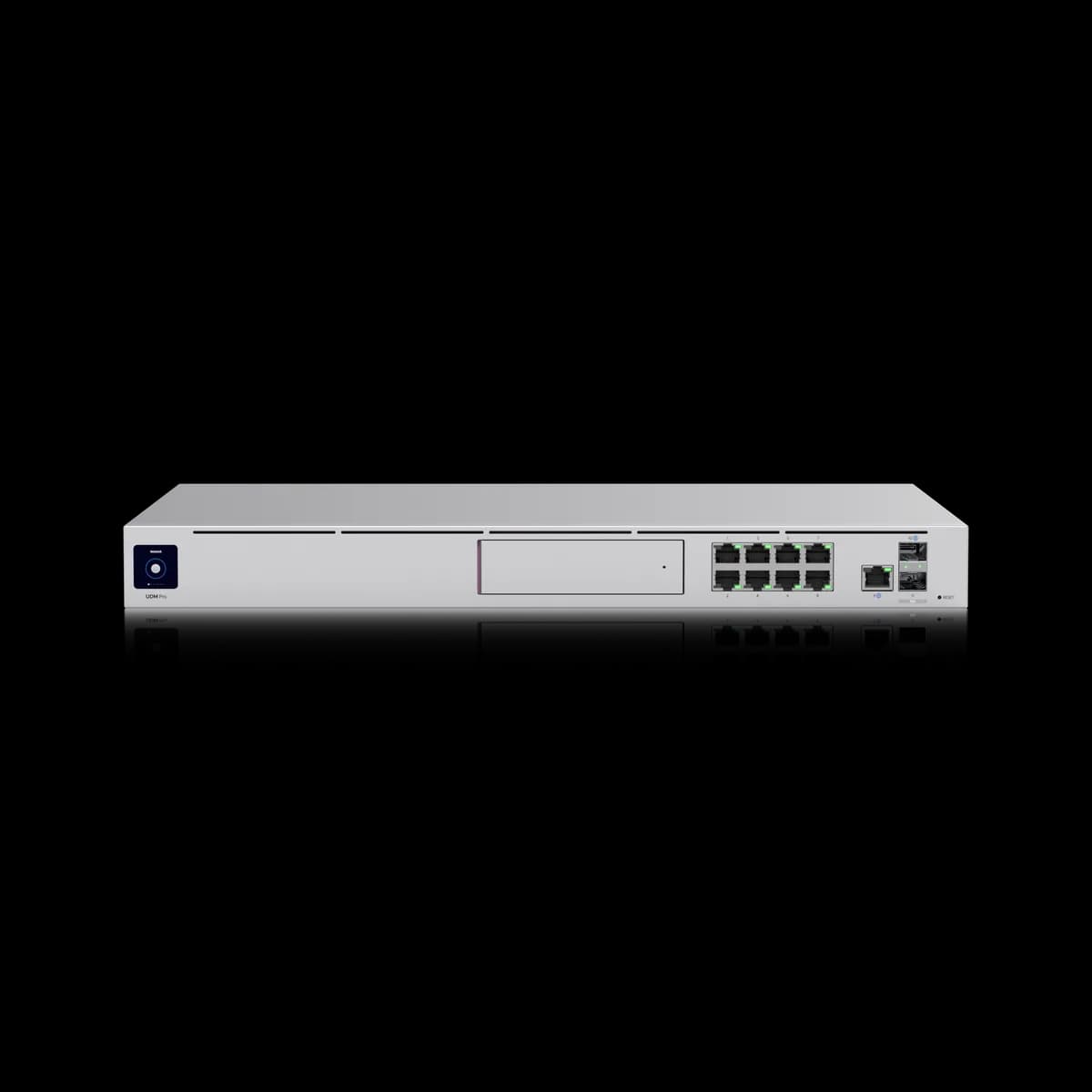
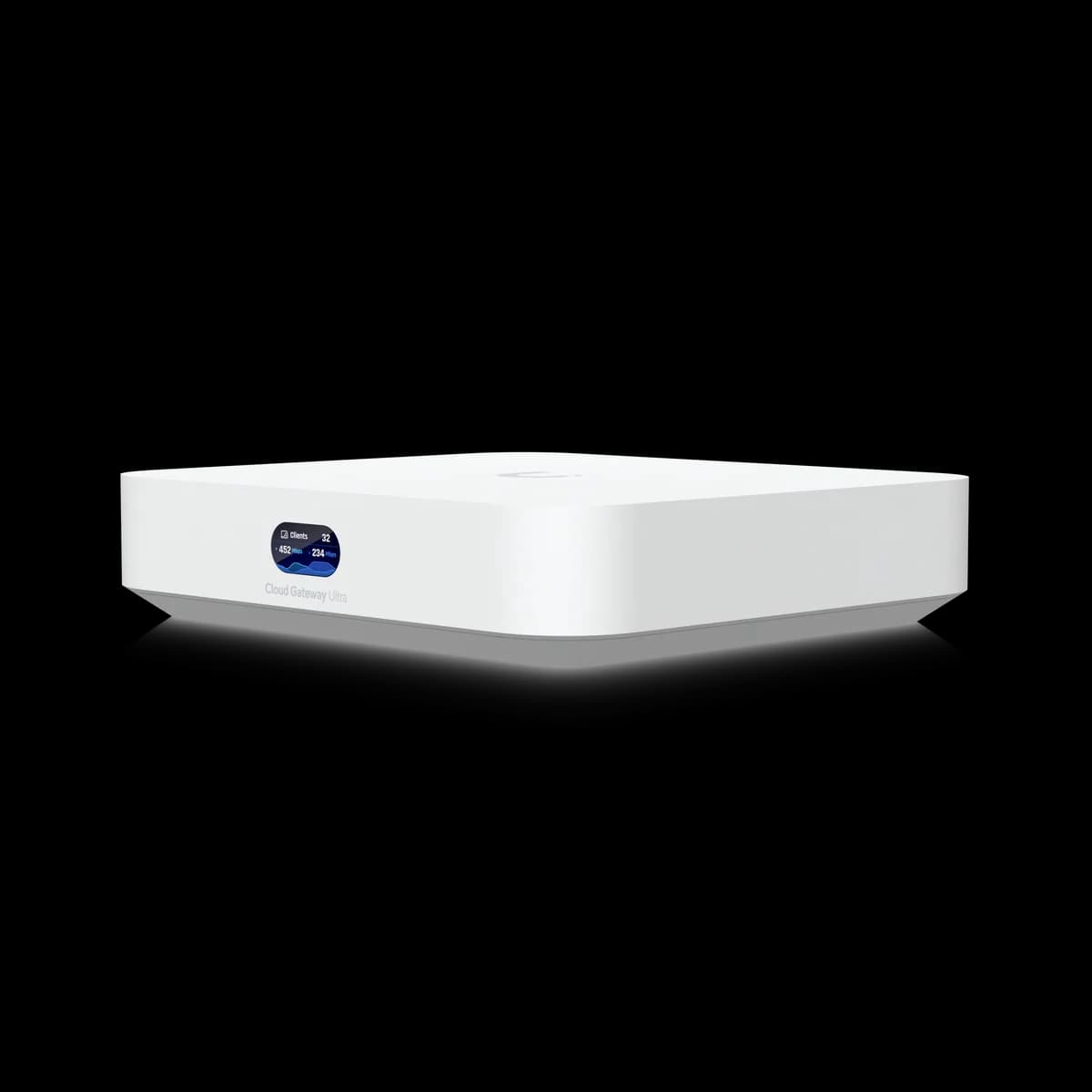
For most networks the Cloud Gateway Ultra ($129) is the smarter buy — its 2.5 GbE WAN and 1 Gbps of IDS/IPS routing cover gigabit-class internet in a silent, fanless desktop unit. Step up to the UDM-Pro ($379) only when you need its 3.5 Gbps IPS ceiling, 10G uplinks, an integrated UniFi Protect NVR, or capacity the Ultra can't reach.

Spec Comparison

SpecUniFi Dream Machine ProUniFi Cloud Gateway Ultra
ProcessorQuad-core ARM Cortex-A57 @ 1.7 GHzQuad-core ARM Cortex-A53 @ 1.5 GHz
System Memory4 GB3 GB
On-Board Storage16 GB16 GB
WAN Port(1) 10G SFP+ + (1) GbE RJ45 (default WAN)(1) 2.5 GbE RJ45
LAN Ports(8) GbE RJ45 + (1) 10G SFP+(4) GbE RJ45
IDS/IPS Throughput3.5 Gbps1 Gbps
NVR HDD Bay(1) 3.5" HDD bay (UniFi Protect)
Form FactorRackmount (1U)Compact desktop
Max UniFi Devices100+30+
Max Clients1,000+300+
Max Power Draw33 W6.2 W

Pricing & Positioning

What does the $250 gap buy? The Cloud Gateway Ultra lists at $129 and the UDM-Pro at $379. That premium does not buy faster everyday routing — it buys a higher IPS ceiling, 10G uplinks, an onboard 8-port switch, and a UniFi Protect drive bay. (UDM-Pro specs)

The Cloud Gateway Ultra is the cheapest gateway in the modern UniFi lineup — a fanless, USB-C-powered desktop unit built for small homes and offices. The UDM-Pro sits at the other end: a 1U rackmount workhorse aimed at prosumers and small businesses that already run a rack. Both route, firewall, and run UniFi Network for the same controller experience; what separates them is ceiling, not capability.

If neither extreme fits, the all-in-one Dream Router is the third path. The full lineup is broken down in our guide to how to choose a UniFi gateway, or you can browse the Gateways & Routers hub.

IPS Throughput & WAN

Which inspects more traffic? The UDM-Pro runs IDS/IPS at up to 3.5 Gbps over a 10G SFP+ WAN; the Cloud Gateway Ultra tops out at 1 Gbps of IPS on a 2.5 GbE WAN. On gigabit internet the two feel identical — the UDM-Pro's headroom only shows past ~1 Gbps with threat inspection on. (Cloud Gateway Ultra specs)

IDS/IPS throughput — not the WAN port speed — is the number that actually caps a UniFi gateway once security features are enabled. The Cloud Gateway Ultra's 2.5 GbE WAN happily accepts a multi-gig plan. However, flip on full intrusion detection and routed throughput settles around its 1 Gbps rating. That ceiling sits right at the edge of a symmetrical gigabit fiber line, which is worth keeping in mind if your plan is faster than 1 Gbps.

A common mistake is reading the Cloud Gateway Ultra's 2.5 GbE WAN as 2.5 Gbps of protected throughput — it is not. The 2.5 GbE figure is the physical port speed; once IDS/IPS is switched on, the 1 Gbps inspection rating is the real ceiling, and that is the number that matters on a faster-than-gigabit line.

The UDM-Pro's 3.5 Gbps ceiling and 10G SFP+ ports exist precisely for that case — it is the only gateway here that inspects traffic faster than a single gigabit line can deliver it.

Switching & Ports

Will you need a separate switch? The UDM-Pro has an 8-port gigabit switch plus a 10G SFP+ LAN port built in; the Cloud Gateway Ultra gives you four gigabit LAN ports and nothing more. Past a few wired devices the Ultra needs a dedicated switch, so budget for one alongside it. (UDM-Pro specs)

This is the difference that quietly reshapes a parts list. The UDM-Pro is effectively a gateway and a switch in one chassis, so a modest deployment can run straight off the box. The Cloud Gateway Ultra is deliberately minimal — four LAN ports, USB-C power, no fan — which keeps it cheap and silent. That said, any real wired footprint of access points, cameras, and a NAS will exhaust its ports quickly. Keep in mind that adding a switch narrows the real-world price gap between the two.

UniFi Protect & NVR Storage

Can either record cameras? Only the UDM-Pro can: it has a 3.5-inch HDD bay that turns it into a UniFi Protect NVR. The Cloud Gateway Ultra has no Protect storage at all, so pairing it with cameras means buying a separate recorder. (UDM-Pro specs)

For anyone planning UniFi Protect cameras, this single line often decides the comparison. The UDM-Pro records locally to a 3.5-inch drive you supply, with no extra appliance required. The Cloud Gateway Ultra leaves camera recording entirely to a separate NVR — a real added cost.

If cameras are the goal but a rack is not, the all-in-one Dream Router bundles a 128 GB SSD for Protect at $199, which is often the cheaper path; that trade-off is laid out in Dream Router vs Cloud Gateway Ultra.

Power, Form Factor & Noise

Rack or desktop — and how loud? The Cloud Gateway Ultra is a fanless, 6.2 W desktop unit that runs silent and fits on a shelf. The UDM-Pro is a 1U rackmount drawing 33 W with an active fan you will hear in a quiet room. (Cloud Gateway Ultra specs)

Decide where the unit will physically live before you compare anything else — form factor settles this matchup faster than raw specs do. The Cloud Gateway Ultra draws about 6.2 W, has no moving parts, and disappears into an office or living room. The UDM-Pro is built for a rack or AV closet: 1U, roughly 33 W, and a fan that is audible at close range. Without a rack and some tolerance for fan noise, the Ultra is the only comfortable choice of the two.

Who Should Buy Which

The two gateways rarely compete for the same buyer once the requirements are written down. Here is how the decision usually breaks.

Buy the Cloud Gateway Ultra if:

  • Your network is small. A home or office on gigabit or 2.5G internet, with a separate switch or only a few wired devices, is squarely its target.
  • Silence and size matter. Fanless, palm-sized, and shelf-friendly, it suits a living space or a desk far better than a rack unit.
  • You want the lowest entry price. At $129 it is the cheapest way onto a modern UniFi Cloud Gateway.

Buy the UDM-Pro if:

  • You need IPS headroom. Internet faster than gigabit with full threat inspection is exactly what its 3.5 Gbps ceiling and 10G ports are for.
  • You want cameras without a second box. The 3.5-inch Protect bay makes it an integrated NVR.
  • You are scaling. Rated for 100+ UniFi devices and 1,000+ clients, it has the most headroom of any gateway in the lineup.

Still deciding among all three gateways? Start with how to choose a UniFi gateway, or weigh the rackmount unit against the all-in-one in UDM-Pro vs Dream Router.

Frequently Asked Questions

No. The Cloud Gateway Ultra has no onboard Protect storage and cannot record cameras on its own — you would add a separate UniFi Protect NVR. The UDM-Pro includes a 3.5-inch HDD bay for an integrated NVR, and the Dream Router ships with a 128 GB SSD for the same purpose.

Yes, at the WAN port — it has a 2.5 GbE WAN that accepts plans above 1 Gbps. Keep in mind that its IDS/IPS throughput is rated to 1 Gbps, so with full threat inspection enabled, routed throughput rather than the 2.5 GbE port speed becomes the practical ceiling.

Effectively, yes. The UDM-Pro is a 1U rackmount unit with an active fan, designed to live in a rack or AV cabinet. If you have no rack and want a silent, desktop-friendly gateway, the Cloud Gateway Ultra is the better physical fit.

For most symmetrical gigabit plans, yes, but it leaves little headroom. With IDS/IPS enabled the Cloud Gateway Ultra inspects up to 1 Gbps, which sits right at the edge of a 1 Gbps fiber line. If you run faster-than-gigabit internet and want threat inspection at full speed, the UDM-Pro's 3.5 Gbps ceiling is the safer choice.